A link floated through my feed last week claiming you can run a 125-billion-parameter model on a gaming PC — NVIDIA or AMD card, 12 GB of VRAM, one installer. I clicked expecting a typo.
It isn't one. Strata runs Qwen3.8-Flash-Next — the open-weight preview of the Qwen4 architecture — on an ordinary PC, Windows or Linux, MIT license, everything local. It chats, writes code, reads images, and serves an OpenAI-compatible API on 127.0.0.1:8080.
This post is a hands-on guide: what you need, how to install it, how to drive it, and how to go one step further and use it as a coding agent inside Zed — verified end to end on real hardware.
What you need
Part | Requirement |
|---|---|
GPU | NVIDIA RTX 20/30/40/50 or AMD RX 6800/6900/7700/7800/7900/9060/9070 series — 12 GB VRAM or more |
RAM | 32 GB minimum; 64 GB runs every model size |
Disk | ~80 GB free — strongly recommend an SSD (see the notes below) |
OS | Windows 10/11 or Linux, current GPU driver |
Multi-GPU works too — two or three cards can share the model.
Install
Download the repo zip (or
git clone) from the GitHub page.Windows: double-click
START-HERE.bat. Linux: run./setup.sh.The installer detects your card and asks a few questions — model size, context length, whether you want image input. Press Enter for the recommended answers and set an API key when asked.
It downloads the model (~70–80 GB, resumable) and starts the engine. Your browser opens
http://127.0.0.1:8080.
Next time, run the same script — it starts immediately, nothing downloads twice. UPDATE.bat / ./update.sh updates without starting.
Drive it
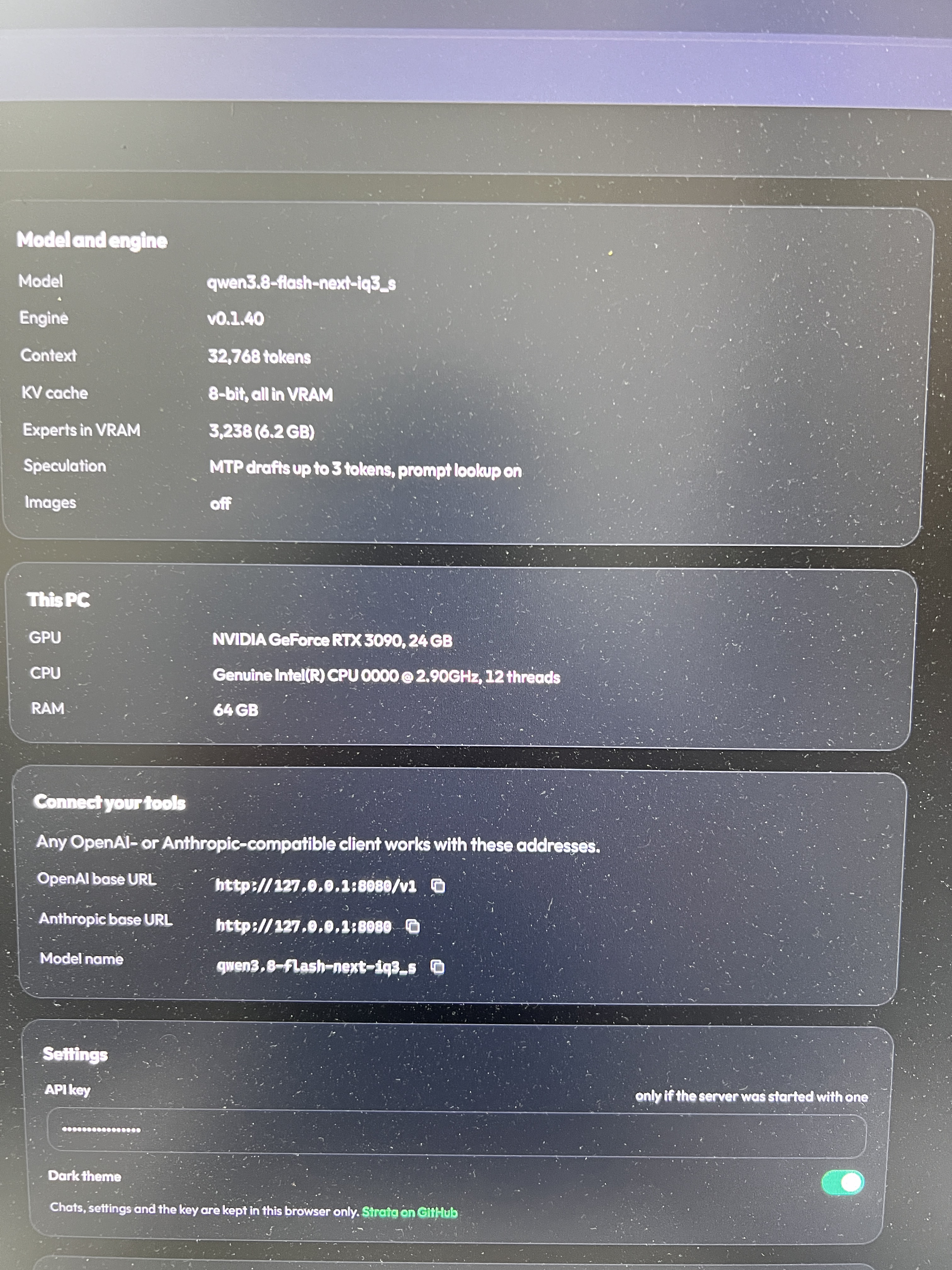
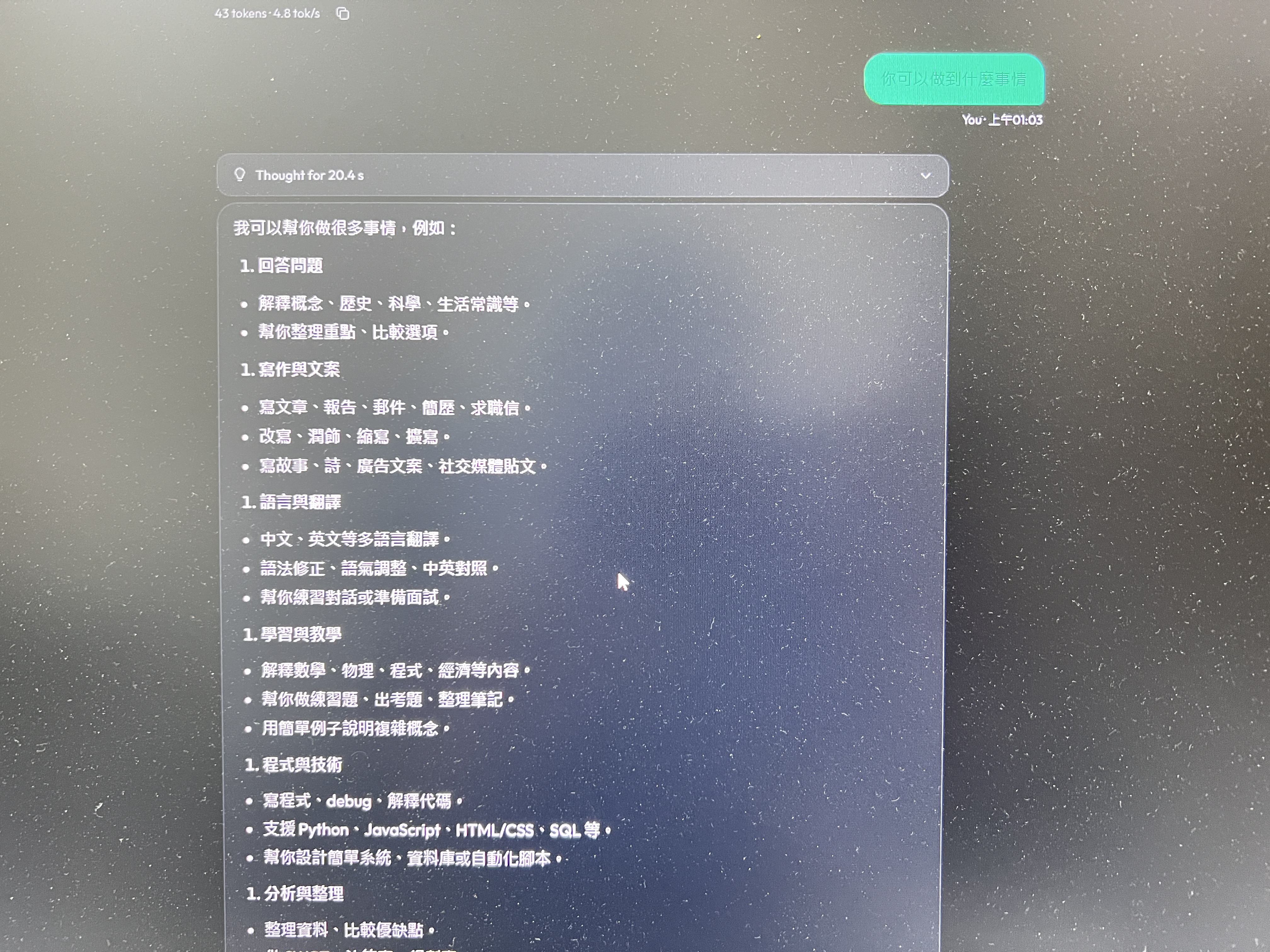
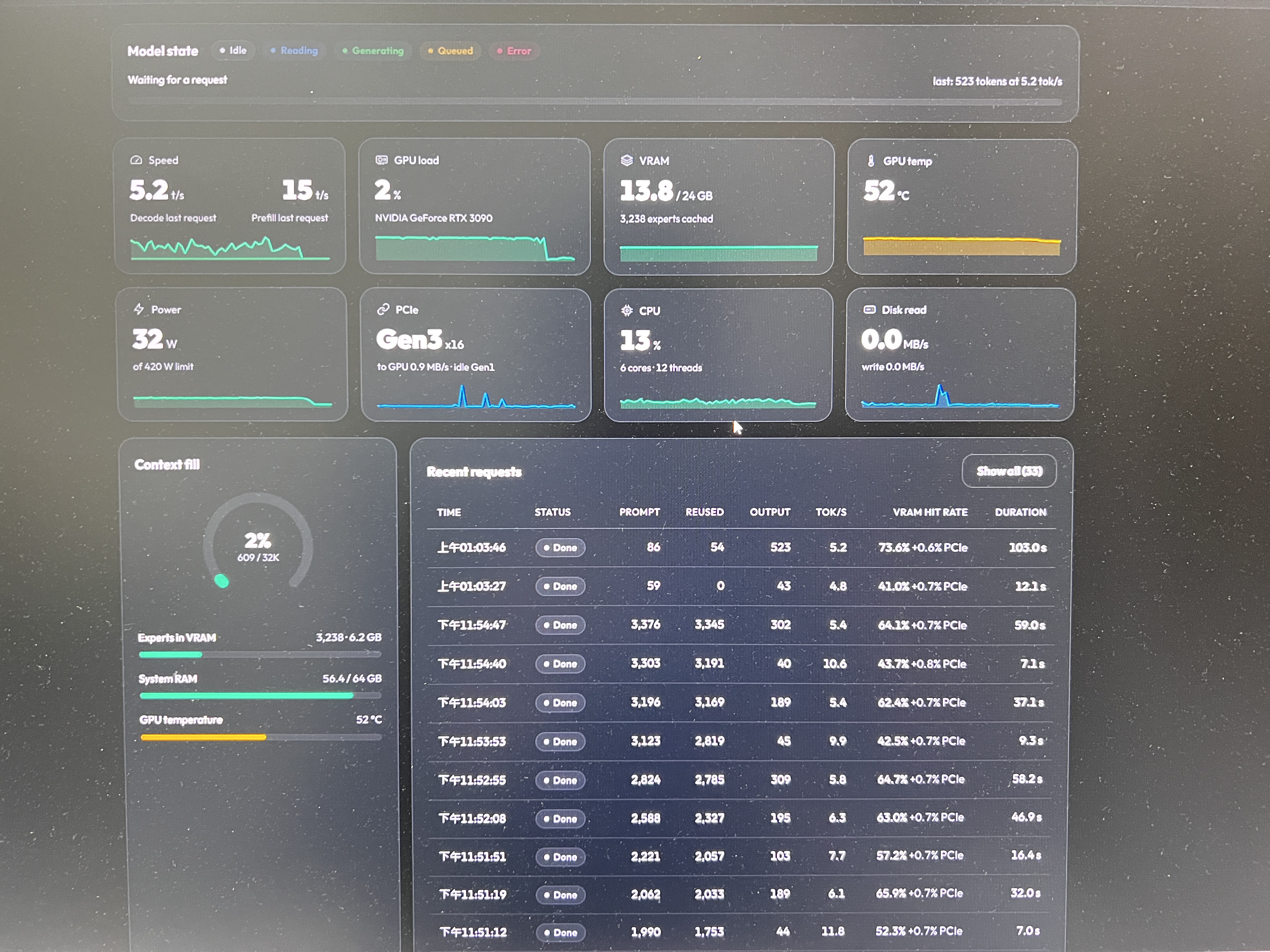
Browser UI at
127.0.0.1:8080: Chat, a live Monitor of the model and your GPU/CPU/RAM, and About with your settings and API addresses.OpenAI-compatible apps: base URL
http://127.0.0.1:8080/v1, any API key string, any model name.Anthropic-compatible apps:
http://127.0.0.1:8080/v1/messages(for Claude Code:ANTHROPIC_BASE_URL=http://127.0.0.1:8080).Codex CLI / Responses API:
http://127.0.0.1:8080/v1/responses.Thinking level: off / low / medium / high in the chat menu or your app's reasoning-effort setting. Off is fastest; high for hard problems.
Images: say yes at setup; AMD reads them on Linux (not yet on Windows).
How it works, briefly
Qwen3.8-Flash-Next is a mixture-of-experts model: 48 layers × 512 experts = 24,576 specialists, but each token only needs 10 routed + 1 shared. Strata puts them on three tiers:
GPU — everything every token touches, plus a self-adapting cache of the most-used experts (~700 more per extra GB of VRAM)
RAM — all 24,576 experts, pinned; the CPU computes whatever the GPU cache misses, in parallel with the GPU
SSD — the 28.8 GB n-gram embedding table, a few rows per token via the OS cache
Add the model's built-in MTP layer drafting tokens for the big model to verify (1.6–1.8× faster), and 8K-token chunked prefill overlapping expert streaming, and prefill clears 1,000 tok/s on normal hardware.
Practical notes from real use
The README benchmarks a 12 GB RTX 5070 at 53–94 tok/s decode and estimates a 3090 at 100–140. Those are real, measured numbers — and how close you get depends on all three tiers, not just the card. A few things I learned running it:
Put the model on an SSD. The n-gram table and any spilled experts read through the disk constantly. My first machine ran it off a spinning HDD (~40 MB/s random read) and decode dropped to ~5 tok/s — same GPU, completely different experience. The disk is a tier of the machine, not storage.
RAM headroom matters. The model pins most of it; the OS needs what's left for the table's page cache. 64 GB is the comfortable floor for the bigger quants.
First start can freeze the PC for 1–3 minutes while it loads 35–55 GB and locks memory. Normal — wait it out.
Windows + multiple GPUs:
cudaMalloccounts against the system commit limit (RAM + pagefile). If the engine can't allocate VRAM that is physically free, raise the pagefile to 32 GB+ and reboot.Slow disk + watchdog: if the engine dies with "no progress for 60 s" on a slow drive, that's I/O, not a hang — set
STRATA_WATCHDOG_S=900.One request at a time is the default (
"parallel": 1); batching exists but trades latency.Picking a quant:
Coderfits 32 GB RAM but is weaker outside code including CJK — for Chinese text prefer Q2_0, IQ2_XS, or IQ3_S, which keep every expert.
The last mile: make it a coding agent
An API endpoint is not an agent. An agent needs sessions, a sandboxed working directory, callable tools, and a protocol the editor speaks — for Zed that's the Agent Client Protocol. Strata stops at the API by design; the last mile is a different program.
I used acp-bridge — full disclosure, my own project: a 5 MB Rust adapter that turns any OpenAI-compatible endpoint into an ACP agent. Setup is two files:
# config.toml for acp-bridge
[llm]
base_url          = "http://127.0.0.1:8080/v1"
model             = "qwen3.8-flash-next-iq3_s"
api_key           = "strata-local-key"
timeout_secs      = 1800        # Strata serves one request at a time; give it room
max_history_turns = 50
// Zed settings.json
{
  "agent_servers": {
    "acp-bridge": {
      "type": "custom",
      "command": "D:\\tools\\acp-bridge\\acp-bridge.exe",
      "args": ["D:\\tools\\acp-bridge\\config.toml"]
    }
  }
}
Then Zed's agent panel talks to the 125B model in your RAM, with sandboxed file tools — read_file, list_dir, git_status and the rest. Nothing leaves the machine: editor, bridge, engine, model — the whole chain is local.
I ran this end to end on real hardware: five conversation rounds, a dozen tool calls dispatched correctly, real token counts in usage_update. One caveat worth knowing: acp-bridge v0.9.2 has a Windows path bug in its session cwd sanitizer that breaks file tools from real clients — a fix is in progress.
Closing
The honest summary: Strata does what it says — a frontier-architecture 125B model, on consumer hardware, for the price of a download. Give it an SSD, enough RAM, and a reasonable pagefile, and it gives you back a local API that anything can drive — including, through a bridge, your editor.
Everything in this post ran on an actual machine — the configs, the rounds, and the bug included.