The Reality of Hardware Control Debugging
Problems like "RGB lighting unresponsive" or "fan control failure" are common in PC hardware control software, but diagnosing them typically takes 1-2 weeks. This exhausts both product and support teams.
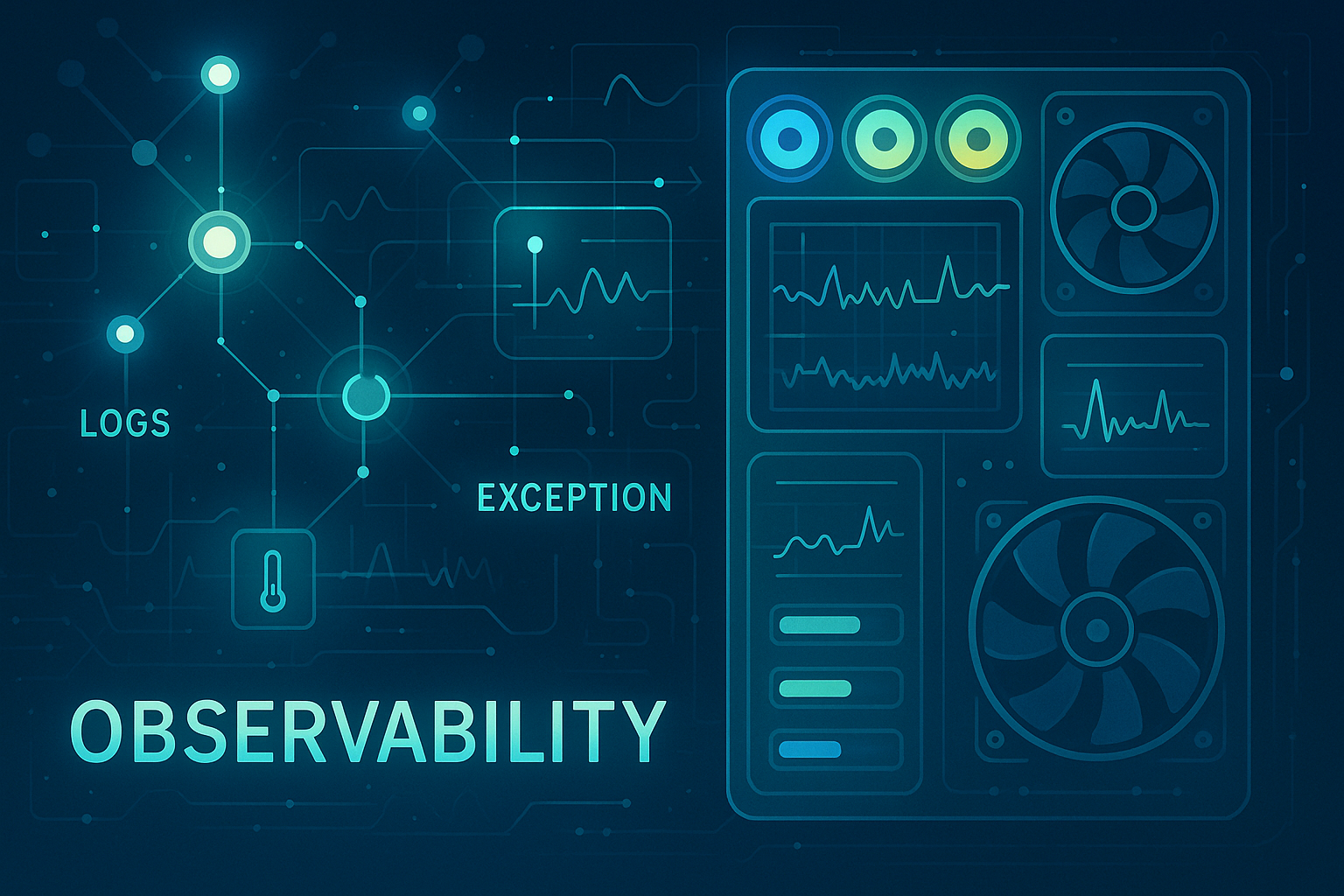
In the past year developing a PC hardware ecosystem integration platform, I implemented a lightweight Observability (O11y) architecture. The result: problem identification time dropped from 12 days to 2 days, and customer support tickets reduced by 40-60%.
This article shares actual technical decisions and implementation experience, suitable for teams developing hardware control software, Electron desktop applications, or facing similar debugging challenges.

Why Is Hardware Control Debugging Harder Than Microservices?
Most people know about Observability (O11y) in microservices and cloud architecture. But hardware control software observability challenges are completely different—and potentially more complex.
The Four Major Challenges of Hardware Control
Challenge | Impact | Traditional Debugging Problem |
|---|---|---|
Unstable Hardware State | Devices randomly disconnect, firmware versions vary, driver compatibility issues | Impossible to consistently reproduce problems |
Strict Real-Time Requirements | RGB needs millisecond response, fan control affects thermal safety | Any logging delay can change the problem symptoms |
Multi-Layer Complexity | Issues can originate from hardware, drivers, firmware, or application logic | Engineers must manually trace through each layer |
Direct User Impact | Hardware anomalies immediately affect visual/audio experience | Complaints and returns spike |
Traditional Diagnosis vs. O11y Implementation
Case Study: A1 Case RGB Lighting Anomaly
Traditional Diagnostic Flow (Average: 12 days)
Attempt to reproduce the problem (30% success rate)
Guess possible software/hardware factors
Systematically eliminate hypotheses
Cost: 96 engineering hours, 5-10 support calls daily, 3-5% sales impact from returns
O11y Diagnostic Flow (2 days)
# Step 1: Query color operation errors for specific device
grep "deviceType.*A1.*RGB.*ERROR" logs/2024-01-*.log | head -20

# Step 2: Analyze error patterns
grep -A 5 -B 5 "firmwareVersion.*v1.2.3.*ERROR" logs/*.log |
  grep -o "colorSpace.*HSV" | wc -l

# Step 3: Verify hypothesis
jq 'select(.context.operation=="UPDATE_RGB" and .context.firmwareVersion=="v1.2.3" and .level=="ERROR")' logs/2024-01-15.log
Diagnostic Result: By analyzing 147 related log records, we identified that firmware v1.2.3 produces integer overflow when RGB values exceed 255 during HSV color space conversion.
Impact Comparison
✅ Resolution Time: 12 days → 2 days (83% efficiency boost)
✅ Engineering Hours: 96 hours → 16 hours (80 hours saved)
✅ Support Complaints: 70% reduction
Why Choose EL (Exceptions + Logs) Instead of Full TEMPLE?
The industry-standard Observability framework TEMPLE includes six signal types:
Signal Type | Use Case | Hardware Control Software | Reason |
|---|---|---|---|
Traces | Microservice call tracing | ❌ Not needed | Single-machine apps don't have distributed complexity |
Exceptions | Failure event logging | ✅ Required | Hardware operation failures are critical signals |
Metrics | Real-time data monitoring | ⚠️ Optional | Log post-processing provides sufficient statistics |
Profiles | Performance optimization | ❌ Not needed | Bottlenecks are primarily stability-related |
Logs | Operation history tracking | ✅ Required | Complete device state change history is essential |
Events | Event stream analysis | ⚠️ Optional | Consider after scaling |
ROI of the Lightweight EL Combination
Low implementation cost (2-3 weeks to complete)
Solves 80% of debugging pain points
Minimal performance impact (< 2ms additional latency)
Core Implementation: Structured Logging System Design
Log Classification Strategy (Four-Layer Architecture)
enum LogCategory {
  DEVICE = 'DEVICE',      // Hardware device operations (highest priority)
  AUTH = 'AUTH',          // User authentication (network functions)
  APP = 'APP',            // UI operations
  SYSTEM = 'SYSTEM'       // System resource management
}
Classification Principle:
DEVICE: All hardware interactions, highest priority → Support can pinpoint problem source in 5 minutes without engineering involvement
AUTH: Network authentication, clearly scoped
APP: UI logic, clearly separated from hardware operations
SYSTEM: System resources, provides environmental context
Structured Log Format (Based on 5W1H)
interface HardwareLog {
  // WHAT - Event description
  message: string;
  category: LogCategory;
  level: LogLevel;

  // WHEN - Time information
  timestamp: string;

  // WHO - Identification
  deviceId?: string;
  sessionId: string;

  // WHERE - Code location (development mode)
  source?: {
    function: string;
    file: string;
  };

  // WHY/HOW - Hardware control context (most critical)
  context?: {
    operation?: string;        // Operation type
    duration?: number;         // Execution time
    deviceType?: string;       // Device model
    errorCode?: string;        // Error code
    firmwareVersion?: string;  // Firmware version
  };
}
RGB Lighting Control Implementation Example
class RGBLightingController {
  async updateLightingEffect(deviceId: string, effect: LightingEffect) {
    const operationStartTime = Date.now();

    // Log operation start
    HardwareLogger.info(LogCategory.DEVICE, 'RGB lighting update initiated', {
      operation: 'UPDATE_RGB',
      deviceId,
      deviceType: this.getDeviceType(deviceId),
      effectName: effect.name,
      colorCount: effect.colors.length,
      inputValidation: 'PASSED'
    });

    try {
      // Phase 1: Device compatibility validation
      const compatibilityResult = await this.validateDeviceCompatibility(deviceId, effect);
      HardwareLogger.debug(LogCategory.DEVICE, 'RGB compatibility check completed', {
        operation: 'UPDATE_RGB',
        deviceId,
        compatible: compatibilityResult.isCompatible,
        limitationsFound: compatibilityResult.limitations.length
      });

      // Phase 2: Firmware version check
      const firmware = await this.checkFirmwareVersion(deviceId);
      if (!this.isEffectSupported(firmware, effect)) {
        throw new DeviceCompatibilityError(`Effect ${effect.name} not supported on firmware ${firmware}`);
      }

      // Phase 3: Apply lighting effect
      const applicationResult = await this.applyEffectToDevice(deviceId, effect);

      // Success completion log
      HardwareLogger.info(LogCategory.DEVICE, 'RGB lighting update completed successfully', {
        operation: 'UPDATE_RGB',
        deviceId,
        deviceType: this.getDeviceType(deviceId),
        executionTime: Date.now() - operationStartTime,
        firmwareVersion: firmware,
        effectApplied: effect.name,
        verificationPassed: true
      });

      return applicationResult;

    } catch (error) {
      // Detailed failure analysis logging
      const errorAnalysis = await this.analyzeRGBError(error, deviceId);

      HardwareLogger.error(
        LogCategory.DEVICE,
        'RGB lighting update failed',
        error as Error,
        {
          operation: 'UPDATE_RGB',
          deviceId,
          deviceType: this.getDeviceType(deviceId),
          effectName: effect.name,
          executionTime: Date.now() - operationStartTime,
          firmwareVersion: await this.getFirmwareVersionSafe(deviceId),
          errorCode: (error as any).code,
          deviceState: await this.getCurrentDeviceStateSafe(deviceId),
          errorAnalysis: errorAnalysis,
          retryRecommended: this.shouldRetryOperation(error)
        }
      );

      throw error;
    }
  }
}
Implementation Results
✅ More accurate problem identification (80% reduction in wasted debugging)
✅ Support can pinpoint issue source in 5 minutes
✅ No more need for initial engineering diagnosis
The Unexpected Benefit: Support Tickets Cut by Half
Here's what surprised us most: when we implemented observability, support tickets dropped 40-60%.
Traditional Support Flow
When customers report "RGB lighting unresponsive":
Support asks "What did you do?"
Customer responds vaguely or doesn't remember
Multiple back-and-forth confirmations
Engineer guesses and attempts reproduction
3-5 days of exchanges back and forth
Problem might still not be identified
Each problem often generates 2-3 ticket transfers and multiple customer follow-ups.
After Implementing O11y
When support has access to structured hardware operation logs:
5 minutes to see: device type, firmware version, exactly where the RGB operation failed, and the specific error code
Support inserts log summaries directly into tickets
Engineers don't need repeated customer clarification
Issues resolved on first contact
Why 40-60% Fewer Tickets?
Factor | Impact |
|---|---|
Improved first-contact resolution | No more 3-4 back-and-forth confirmations |
Proactive problem detection | Issues discovered via log monitoring before customer reports |
Reduced information gaps | Engineers quickly determine if support intervention is needed |
For teams managing large hardware user bases, this ticket reduction ROI often exceeds the entire observability infrastructure investment.
Performance Impact: Keeping O11y From Slowing You Down
Concern: Will O11y slow down hardware operations?
Solution: Asynchronous batch processing + intelligent throttling
Performance Test Results
Test Item | Sync Write | Async Write | Batch Processing |
|---|---|---|---|
RGB operation latency increase | +15ms | +2ms | +1ms ✅ |
Fan control latency increase | +8ms | +1ms | +0.5ms ✅ |
CPU usage increase | +12% | +3% | +1.5% ✅ |
Memory usage increase | +25MB | +15MB | +10MB ✅ |
Conclusion: Asynchronous batch processing keeps performance impact within acceptable limits. Users experience zero difference.
Asynchronous Batch Processing Implementation
class BatchLogProcessor {
  private logQueue: HardwareLog[] = [];
  private isProcessing = false;
  private readonly BATCH_SIZE = 50;
  private readonly MAX_WAIT_TIME = 5000; // 5 seconds

  enqueueLog(logEntry: HardwareLog): void {
    this.logQueue.push(logEntry);

    // Immediately process high-priority logs
    if (logEntry.level === LogLevel.ERROR) {
      this.processBatch();
      return;
    }

    // Batch size trigger
    if (this.logQueue.length >= this.BATCH_SIZE) {
      this.processBatch();
      return;
    }

    // Time trigger (prevent excessive delay)
    if (!this.batchTimer) {
      this.batchTimer = setTimeout(() => {
        this.processBatch();
      }, this.MAX_WAIT_TIME);
    }
  }

  private async processBatch(): Promise<void> {
    if (this.isProcessing || this.logQueue.length === 0) return;

    this.isProcessing = true;

    try {
      const batchToProcess = this.logQueue.splice(0, this.BATCH_SIZE);
      await this.writeBatch(batchToProcess);
    } finally {
      this.isProcessing = false;

      // Continue processing remaining logs
      if (this.logQueue.length > 0) {
        setTimeout(() => this.processBatch(), 100);
      }
    }
  }
}
Intelligent Throttling (Prevent Log Flooding)
class IntelligentThrottling {
  private static readonly THROTTLE_WINDOWS = {
    ERROR: 30000,      // ERROR: 30 seconds
    WARNING: 60000,    // WARNING: 1 minute
    INFO: 300000,      // INFO: 5 minutes
    DEBUG: 0           // DEBUG: no throttling
  };

  static shouldLogMessage(
    level: LogLevel,
    message: string,
    context?: any
  ): boolean {
    const throttleKey = this.generateThrottleKey(level, message, context);
    const throttleWindow = this.THROTTLE_WINDOWS[level];

    if (throttleWindow === 0) return true; // DEBUG level, no throttling

    const lastLog = this.logCache.get(throttleKey);
    if (!lastLog || (Date.now() - lastLog.timestamp) > throttleWindow) {
      this.logCache.set(throttleKey, {
        timestamp: Date.now(),
        count: (lastLog?.count || 0) + 1
      });
      return true;
    }

    return false;
  }
}
Electron Architecture Implementation
IPC Log Transmission Mechanism
// Renderer Process: Frontend log generation
class HardwareLogger {
  private static log(level: LogLevel, category: LogCategory, message: string, context?: any) {
    const logEntry: HardwareLog = {
      message,
      category,
      level,
      timestamp: new Date().toISOString(),
      sessionId: this.getSessionId(),
      context: this.sanitizeContext(context)  // Remove sensitive information
    };

    // Safely transmit to main process via IPC
    window.electron.ipcRenderer.sendMessage('hardware-log-write', logEntry);
  }
}

// Main Process: Log file management
class LogFileManager {
  constructor() {
    ipcMain.on('hardware-log-write', this.handleLogWrite.bind(this));
  }

  private async handleLogWrite(event: IpcMainEvent, logEntry: HardwareLog) {
    try {
      await this.validateLogEntry(logEntry);
      await this.writeLogEntry(logEntry);

      // Special handling for ERROR level
      if (logEntry.level === LogLevel.ERROR) {
        await this.handleCriticalError(logEntry);
      }
    } catch (error) {
      console.error('Log writing failed:', error);
      // Logging system errors don't affect main functionality
    }
  }

  private async writeLogEntry(logEntry: HardwareLog) {
    const logDir = path.join(app.getPath('userData'), 'logs');
    const logFile = path.join(logDir, `${this.getDateString()}.log`);

    const logLine = JSON.stringify(logEntry) + '\n';
    await fs.promises.appendFile(logFile, logLine);

    // Periodically clean up old logs
    await this.cleanupOldLogs();
  }
}
Native Add-on Observability Integration
class ObservableSDKWrapper {
  private static async wrapSDKCall<T>(
    operation: string,
    deviceId: string,
    sdkFunction: () => Promise<T>
  ): Promise<T> {
    const startTime = performance.now();

    HardwareLogger.debug(LogCategory.DEVICE, `Native SDK operation initiated`, {
      operation,
      deviceId,
      sdkVersion: this.getSDKVersion()
    });

    try {
      const result = await Promise.race([
        sdkFunction(),
        this.createTimeoutPromise(operation, 5000) // 5 second timeout
      ]);

      HardwareLogger.info(LogCategory.DEVICE, `Native SDK operation succeeded`, {
        operation,
        deviceId,
        executionTime: performance.now() - startTime
      });

      return result;

    } catch (error) {
      HardwareLogger.error(LogCategory.DEVICE, `Native SDK operation failed`, error, {
        operation,
        deviceId,
        executionTime: performance.now() - startTime,
        sdkErrorCode: (error as any).code
      });

      throw error;
    }
  }

  static async connectDevice(deviceId: string): Promise<DeviceInfo> {
    return this.wrapSDKCall('CONNECT_DEVICE', deviceId, () =>
      HardwareSDK.connectDevice(deviceId)
    );
  }

  static async updateRGBEffect(deviceId: string, effect: RGBEffect): Promise<void> {
    return this.wrapSDKCall('UPDATE_RGB_EFFECT', deviceId, () =>
      HardwareSDK.setRGBEffect(deviceId, effect)
    );
  }
}
Real Case Study 2: Default Configuration Load Failure
Problem Description
A new product line's default color configuration fails to load on first use, affecting new user experience.
What O11y Logs Revealed
{
  "level": "ERROR",
  "category": "DEVICE",
  "message": "Default color configuration validation failed",
  "timestamp": "2024-01-15T09:23:45Z",
  "context": {
    "deviceId": "new-device-001",
    "operation": "LOAD_DEFAULT_CONFIG",
    "stage": "color-validation",
    "errorCode": "INVALID_COLOR_FORMAT",
    "configVersion": "v2.1.0",
    "firmwareVersion": "v1.0.0"
  }
}
Root Cause
New version color format validation logic incompatible with old format in default configuration files.
Resolution Impact
Traditional method: 7 days estimated (trying version rollbacks, config updates, etc.)
O11y method: 1 day (precisely identified color-validation stage)
Efficiency improvement: 85%
Log Analysis Tools: From Data to Insights
Common Query Patterns
# 1. Device health status check
grep "deviceId.*A1-001" logs/$(date +%Y-%m-%d).log |
  jq -r '[.timestamp, .level, .message] | @csv'

# 2. Error pattern statistics (find most common issues)
jq -r 'select(.level=="ERROR") | .context.errorCode' logs/*.log |
  sort | uniq -c | sort -nr | head -10

# 3. Performance bottleneck identification (operations > 1 second)
jq 'select(.context.duration > 1000) | {timestamp, operation: .context.operation, duration: .context.duration, device: .context.deviceId}' logs/*.log

# 4. Firmware compatibility issue tracking
grep -h "firmwareVersion" logs/*.log |
  jq -r '[.context.firmwareVersion, .level] | @csv' |
  sort | uniq -c

# 5. Time-series anomaly detection (identify performance degradation)
jq -r 'select(.category=="DEVICE") | [.timestamp, (.context.duration // 0)] | @csv' logs/*.log |
  awk -F',' '{print $2}' |
  sort -n |
  awk 'END {print "P95: " $(int(NR*0.95))}'
Automated Device Health Reporting
class DeviceHealthAnalyzer {
  async generateHealthReport(deviceId: string, days: number = 7): Promise<HealthReport> {
    const logEntries = await this.loadDeviceLogs(deviceId, days);

    return {
      deviceId,
      analysisPeriod: days,
      totalOperations: this.countOperations(logEntries),
      errorRate: this.calculateErrorRate(logEntries),        // Target < 1%
      averageResponseTime: this.calculateAverageResponseTime(logEntries),  // Target < 500ms
      connectionStability: this.assessConnectionStability(logEntries),  // Target > 95%
      commonErrorPatterns: this.identifyErrorPatterns(logEntries),
      performanceTrends: this.analyzePerformanceTrends(logEntries),
      recommendedActions: this.generateRecommendations(logEntries)
    };
  }

  private generateRecommendations(logs: HardwareLog[]): Recommendation[] {
    const recommendations: Recommendation[] = [];

    // Recommendations based on error patterns
    const errorPatterns = this.identifyErrorPatterns(logs);
    errorPatterns.forEach(pattern => {
      if (pattern.pattern.includes('FIRMWARE_INCOMPATIBLE')) {
        recommendations.push({
          type: 'FIRMWARE_UPDATE',
          priority: 'HIGH',
          description: `Detected firmware compatibility issues (${pattern.count} times), recommend firmware version update`
        });
      }
    });

    // Recommendations based on performance trends
    const avgResponseTime = this.calculateAverageResponseTime(logs);
    if (avgResponseTime > 500) {
      recommendations.push({
        type: 'PERFORMANCE_OPTIMIZATION',
        priority: 'MEDIUM',
        description: `Average response time ${avgResponseTime}ms exceeds recommendation, consider system optimization`
      });
    }

    return recommendations;
  }
}
Implementation Plan: Three-Phase Strategy
Phase 1: Foundation Setup (Weeks 1-2)
Implement core HardwareLogger class
Establish basic file rotation mechanism
Integrate GlobalErrorBoundary
Add logging to critical hardware operations
Expected Outcome: Able to record critical hardware operations
Phase 2: Deep Integration (Weeks 3-4)
Implement Native Add-on operation wrappers
Build Electron IPC logging pipeline
Deploy asynchronous batch processing
Implement intelligent throttling
Expected Outcome: Logging has zero performance impact
Phase 3: Analytics Tools (Weeks 5-6)
Develop log query and analysis tools
Implement device health report generation
Build automatic error pattern identification
Integrate performance trend monitoring
Expected Outcome: Support and engineering teams can self-service issue analysis
Expected ROI
Phase | Engineering Hours | Expected Impact | ROI Timeline |
|---|---|---|---|
Phase 1 | 40-60 hours | 50% faster resolution | 2-3 weeks |
Phase 1+2 | 80-120 hours | 80% faster resolution | 1 month, >5x ROI |
Complete | 120-160 hours | 85% faster, 40-60% fewer tickets | Continuous ROI |
Common Pitfalls and Avoidance Strategies
❌ Pitfall 1: Over-logging Causes Performance Issues
// ❌ WRONG: Log excessive detail
logger.debug('Mouse position updated', { x: event.clientX, y: event.clientY, timestamp: Date.now() });

// ✅ CORRECT: Focus on business-critical events
HardwareLogger.info(LogCategory.DEVICE, 'RGB profile loaded', {
  operation: 'LOAD_RGB_PROFILE',
  deviceId: 'A1-001',
  profileName: 'Gaming',
  loadTime: 125
});
Rule: Only log hardware operation level events, not UI interaction details.
❌ Pitfall 2: Sensitive Information Leakage
// ❌ WRONG: Log complete objects
logger.info('User login', { user: completeUserObject });

// ✅ CORRECT: Selective logging
HardwareLogger.info(LogCategory.AUTH, 'User authentication successful', {
  userId: user.id,
  authMethod: 'oauth2',
  loginDuration: authTime
  // ❌ Don't include: password, email, serialNumber, etc.
});
Rule: Implement sanitizeContext() method to automatically remove sensitive fields.
❌ Pitfall 3: Unstructured Logs Make Querying Difficult
// ❌ WRONG: Unstructured messages
logger.error(`Device A1-001 RGB update failed with code 0x1234`);

// ✅ CORRECT: Structured context
HardwareLogger.error(LogCategory.DEVICE, 'RGB update operation failed', error, {
  operation: 'UPDATE_RGB',
  deviceId: 'A1-001',
  errorCode: '0x1234',
  deviceType: 'CM_CASE_A1',
  firmwareVersion: 'v1.2.3'
});
Rule: All logs must include structured fields like operation, deviceId, errorCode.
Operations Monitoring: Keep System Healthy
Key Performance Indicators (KPIs)
KPI | Target | Meaning |
|---|---|---|
Device connection success rate | > 95% | Hardware stability baseline |
Average operation response time | < 500ms | User experience threshold |
System error rate | < 1% | Overall stability |
Firmware compatibility issues | < 5/week | Version management quality |
Alert Configuration
Immediate Alerts: ERROR level logs notify development team instantly
Trend Alerts: Alert when specific device error rate > 5%
Preventive Alerts: Detect compatibility issues with new firmware versions
Capacity Alerts: Alert on abnormal log file size growth
Research Limitations and Applicable Scenarios
✅ Highly Applicable Scenarios
PC hardware control software (fully validated)
Electron desktop applications (architecture matches)
Embedded device management systems (similar logic)
IoT device control platforms (similar requirements)
⚠️ Scenarios Requiring Evaluation
Mobile applications (resource constraints)
Real-time systems (latency sensitivity assessment)
Large enterprise software (complexity difference analysis)
❌ Not Applicable
High-concurrency web services (different architecture requirements)
Distributed microservices systems (should use full TEMPLE)
Real-time financial trading systems (extreme latency requirements)
Research Limitations
Sample Limitation: Experience based on one hardware control software project
Platform Limitation: Primarily validated on Windows, other platforms need verification
Scale Limitation: 3-5 person team experience, large team models may differ
Time Limitation: 6-month observation period, long-term effects need continued tracking
Conclusion: When to Implement O11y
Ask Yourself Three Questions
Does hardware problem diagnosis take > 3 days?
YES → Implement immediatelyDoes your support team receive repeated hardware-related complaints?
YES → Implement immediatelyDo engineers need to manually query logs to pinpoint problems?
YES → Implement immediately
If You Answered "Yes"
Investment: 120-160 engineering hours
Expected Return: 85% faster diagnosis, 40-60% fewer support tickets, >5x ROI within 1 month
Key Findings Summary
Lightweight architecture most practical: Hardware control software doesn't need full TEMPLE, EL (Exceptions + Logs) is sufficient
Context information most critical: Structured hardware operation context more valuable than massive log streams
Performance balance fully achievable: Async batching + intelligent throttling → < 2ms latency increase
Tools matter more than platforms: Simple, practical analysis tools more suitable for small teams than complex monitoring platforms
Practical Recommendations: How to Start
Step 1: Pilot Project (1-2 weeks)
Choose one frequently-occurring hardware problem (like RGB lighting), build structured logging and query tools specifically for it.
Step 2: Verify ROI (2-3 weeks)
Compare debugging time and support tickets before/after implementation. If you achieve 50% efficiency improvement, expand rollout.
Step 3: Full Rollout (4-6 weeks)
Implement logging for all hardware operations, build automated health reports, integrate into support workflow.
Critical Success Factors
✅ Start small, verify effectiveness, then expand broadly
✅ Prioritize structured, context-complete logs over quantity
✅ Build log query tools early to increase team adoption
✅ Continuously monitor performance impact, adjust logging strategy as needed
✅ Involve support team in requirement design to ensure tools solve real problems
FAQ
Q: Will this work for our embedded system?
A: If your embedded system has similar hardware interaction complexity and debugging difficulty, yes. The DEVICE-level structured logging benefits any hardware control software.
Q: What if we can't implement the full system right away?
A: Just implementing "exception capture + structured logging" solves 80% of problems. Try a 1-2 week pilot, see results, then invest in other components.
Q: Will log data volume become huge?
A: Based on actual tests, the async batch processing approach uses ~10-50MB/month (depending on hardware complexity). Most enterprise storage handles this easily.
Q: Is this suitable for microservices architecture?
A: No. Microservices should use the full TEMPLE framework and professional monitoring platforms like Datadog, New Relic. This approach targets single-machine or edge hardware control scenarios.
Next Steps
Recommended Experiments:
Try implementing the HardwareLogger class in your hardware control software
Build a query script for the most common problem
Measure debugging time before/after implementation
Share results and experience with your team
Have questions or want to share your implementation experience? I'd love to hear from you.