Most testing tutorials show you how to test a counter component. That's fine for learning the API, but it doesn't prepare you for the real decisions: what to test, at what level, and how to get the most confidence per line of test code.
This post walks through a testing strategy I built for my own site — using the actual components in production. No toy examples. Every function and interaction you'll see here is running on a live site right now.
Part 1: The Testing Trophy, Not the Pyramid
The traditional testing pyramid says: write many unit tests, fewer integration tests, and a handful of E2E tests. The logic sounds right — unit tests are fast and cheap. But in a modern React SPA, this advice leads you to test implementation details (state updates, internal method calls) that break on every refactor while catching zero real bugs.
Kent C. Dodds popularized the "Testing Trophy" model, which shifts the center of gravity to integration tests — tests that render components and simulate user interactions without mocking internal state. The argument: integration tests give you the highest return on investment because they exercise the same code paths your users trigger.
I largely agree, with one nuance: I find component tests (rendering a single component with mocked external dependencies) to be the most effective bridge between pure unit tests and full E2E tests. They're fast enough to run on every commit, realistic enough to catch interaction bugs, and isolated enough to pinpoint failures.
Here's the mental model:
Unit tests: pure functions extracted from components. No DOM, no React.
Component tests: render one component, mock APIs and external services, simulate user events.
E2E tests: Playwright drives a real browser against a running app. Reserve for critical user journeys.
The rest of this post demonstrates each level with real code.
Part 2: Unit Testing — Extract Pure Logic
The easiest code to test is code with no side effects. Pure functions take input, return output, and don't touch the DOM, network, or state. The trick is to extract logic out of your components so it can be tested in isolation.
Email Validation
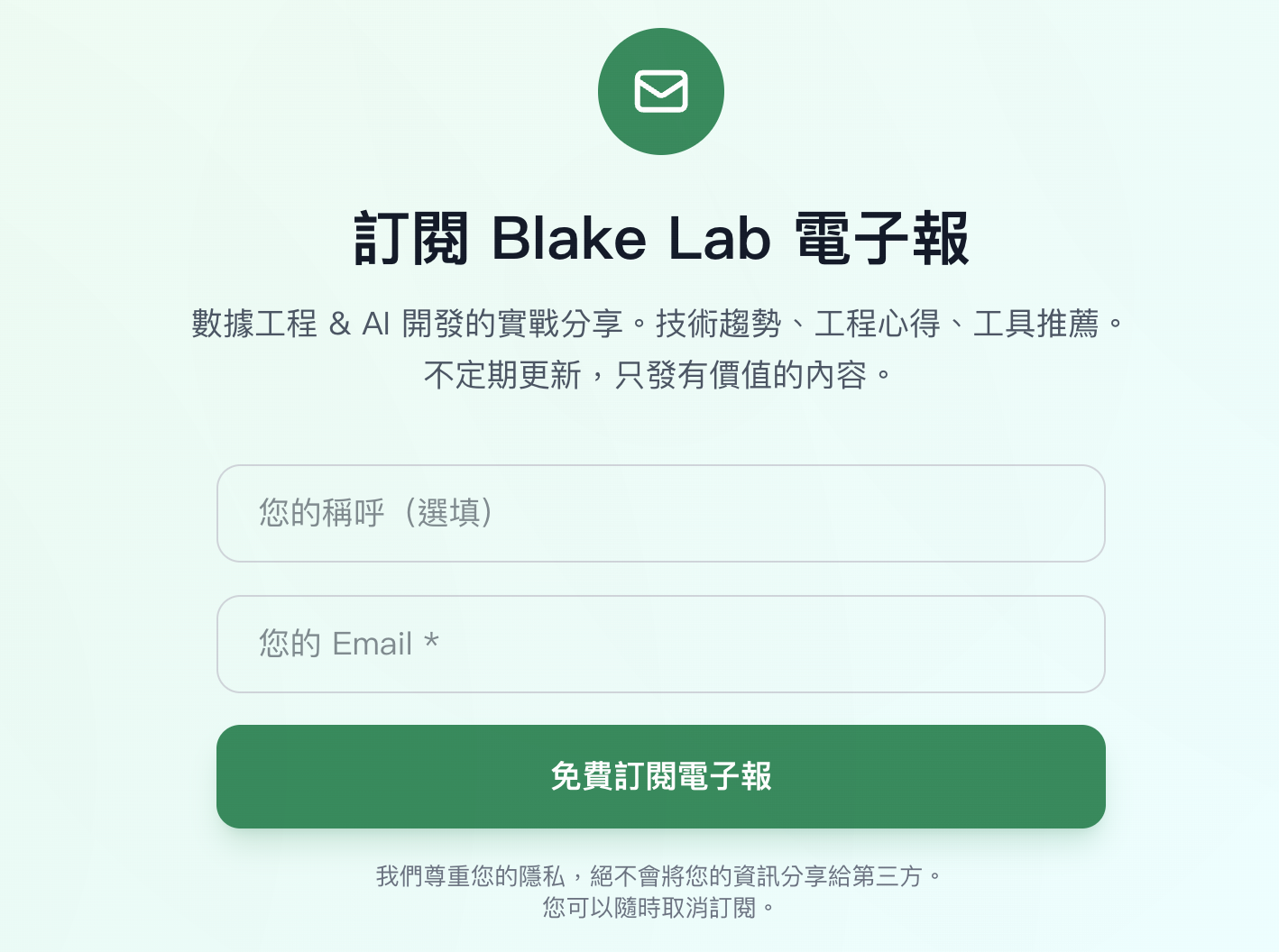
The NewsletterSubscribe component has a strict email regex:
const EMAIL_REGEX = /^[a-zA-Z0-9._%+-]+@[a-zA-Z0-9.-]+\.[a-zA-Z]{2,}$/;
It also has a disposable email blacklist and a suspicious email detector:
const DISPOSABLE_EMAIL_DOMAINS = [
  'mailinator.com', 'guerrillamail.com', 'tempmail.com', 'temp-mail.org',
  '10minutemail.com', 'throwaway.email', 'fakeinbox.com', 'trashmail.com',
  // ... 20+ more domains
];

const isDisposableEmail = (email: string): boolean => {
  const domain = email.split('@')[1]?.toLowerCase();
  return DISPOSABLE_EMAIL_DOMAINS.includes(domain);
};

const isSuspiciousEmail = (email: string): boolean => {
  const localPart = email.split('@')[0];
  if (/^\d+$/.test(localPart)) return true;          // all digits
  if (localPart.length < 3) return true;              // too short
  if (/(.)\1{4,}/.test(localPart)) return true;       // repeated chars (aaaaa@)
  if (localPart.length > 8 && !/[aeiouAEIOU]/.test(localPart)) return true; // no vowels
  return false;
};
These are pure functions. No React, no hooks, no DOM. Testing them is straightforward:
import { describe, it, expect } from 'vitest';

describe('EMAIL_REGEX', () => {
  const valid = ['[email protected]', '[email protected]', '[email protected]'];
  const invalid = ['', '@domain.com', 'user@', '[email protected]', '[email protected]', 'user @domain.com'];

  valid.forEach(email => {
    it(`accepts ${email}`, () => expect(EMAIL_REGEX.test(email)).toBe(true));
  });

  invalid.forEach(email => {
    it(`rejects "${email}"`, () => expect(EMAIL_REGEX.test(email)).toBe(false));
  });
});

describe('isDisposableEmail', () => {
  it('rejects mailinator.com', () => {
    expect(isDisposableEmail('[email protected]')).toBe(true);
  });

  it('accepts gmail.com', () => {
    expect(isDisposableEmail('[email protected]')).toBe(false);
  });

  it('is case-insensitive on domain', () => {
    expect(isDisposableEmail('[email protected]')).toBe(true);
  });
});

describe('isSuspiciousEmail', () => {
  it('flags all-digit local part', () => {
    expect(isSuspiciousEmail('[email protected]')).toBe(true);
  });

  it('flags too-short local part', () => {
    expect(isSuspiciousEmail('[email protected]')).toBe(true);
  });

  it('flags repeated characters', () => {
    expect(isSuspiciousEmail('[email protected]')).toBe(true);
  });

  it('flags long string without vowels', () => {
    expect(isSuspiciousEmail('[email protected]')).toBe(true);
  });

  it('passes normal email', () => {
    expect(isSuspiciousEmail('[email protected]')).toBe(false);
  });
});
A note on TypeScript: the type system already eliminates an entire class of bugs (passing a number where a string is expected, missing required fields). You don't need to write tests for things the compiler catches. Focus your unit tests on runtime logic — regex patterns, conditional branches, edge cases.
Bonus: Markdown Detection
The TipTapEditor component has an isMarkdown() function that detects whether pasted text is Markdown. It checks 13 regex patterns and requires at least 2 matches (with a special case: a fenced code block alone is enough).
const isMarkdown = (text: string): boolean => {
  const markdownPatterns = [
    /^#{1,6}\s+.+$/m,           // headings
    /^```[\w]*\n[\s\S]*?```$/m, // fenced code blocks
    /^\s*[-*+]\s+.+$/m,         // unordered lists
    /^\s*\d+\.\s+.+$/m,         // ordered lists
    /\[.+\]\(.+\)/,             // links
    /!\[.*\]\(.+\)/,            // images
    /\*\*.+\*\*/,               // bold
    /\*.+\*/,                   // italic
    /^>\s+.+$/m,                // blockquotes
    /`[^`]+`/,                  // inline code
    /^-{3,}$/m,                 // horizontal rules
    /^\|.+\|$/m,                // tables
    /^- \[[ x]\] .+$/m,         // task lists
  ];

  let matchCount = 0;
  for (const pattern of markdownPatterns) {
    if (pattern.test(text)) {
      matchCount++;
      if (matchCount >= 2) return true;
    }
  }

  if (/^```[\w]*\n[\s\S]*?```$/m.test(text)) return true;
  return false;
};
Testing this requires covering the boundary — one pattern match versus two, and the code block special case:
describe('isMarkdown', () => {
  it('returns false for plain text', () => {
    expect(isMarkdown('Just a normal sentence.')).toBe(false);
  });

  it('returns false for single markdown feature', () => {
    expect(isMarkdown('> just a blockquote')).toBe(false); // only 1 pattern matches
  });

  it('returns true for heading + list', () => {
    expect(isMarkdown('# Title\n- item one')).toBe(true);
  });

  it('returns true for fenced code block alone', () => {
    expect(isMarkdown('```js\nconsole.log("hi")\n```')).toBe(true);
  });

  it('returns true for table + bold', () => {
    expect(isMarkdown('| col |\n**bold**')).toBe(true);
  });
});
Part 3: Component Testing — User Interaction
Pure functions are the easy part. The real complexity lives in component interactions: user fills a form, clicks a button, sees a response. This is where React Testing Library shines — it encourages you to test what the user sees, not what React does internally.
NewsletterSubscribe: Testing the Anti-Spam Layers
The subscribe form has four anti-spam layers, each testable:
Layer 1: Honeypot field
A hidden field that real users never see. Bots auto-fill everything. If the honeypot has a value, the form silently "succeeds" without actually subscribing.
import { render, screen, fireEvent, waitFor } from '@testing-library/react';
import userEvent from '@testing-library/user-event';
import { vi, describe, it, expect, beforeEach } from 'vitest';
import NewsletterSubscribe from './NewsletterSubscribe';

// Mock Supabase client
vi.mock('@/lib/supabase', () => ({
  supabase: {
    from: vi.fn(() => ({
      select: vi.fn().mockReturnThis(),
      eq: vi.fn().mockReturnThis(),
      single: vi.fn().mockResolvedValue({ data: null, error: { code: 'PGRST116' } }),
      insert: vi.fn().mockResolvedValue({ error: null }),
    })),
  },
}));

describe('NewsletterSubscribe', () => {
  it('silently succeeds when honeypot is filled (bot detected)', async () => {
    render(<NewsletterSubscribe />);

    // Simulate a bot filling the hidden honeypot field
    const honeypotField = document.querySelector('input[name="website_url"]') as HTMLInputElement;
    fireEvent.change(honeypotField, { target: { value: 'http://spam.com' } });

    // Fill email via fireEvent (no timing dependency)
    const emailInput = screen.getByPlaceholderText(/email/i);
    fireEvent.change(emailInput, { target: { value: '[email protected]' } });

    fireEvent.click(screen.getByRole('button', { name: /訂閱/i }));

    // Shows "success" message — but no API call was made
    await waitFor(() => {
      expect(screen.getByText(/訂閱成功/)).toBeInTheDocument();
    });
  });
});
Layer 2: Timing validation
If the form is submitted within 2 seconds of loading, it's almost certainly a bot. The component records Date.now() on mount and checks the delta on submit.
Important: userEvent.type() uses internal delays that conflict with vi.useFakeTimers(). Two solutions: configure userEvent.setup({ advanceTimers: vi.advanceTimersByTime }), or use fireEvent.change() to bypass the issue. We'll use fireEvent.change() here for clarity.
it('silently succeeds when submitted too fast (bot detected)', async () => {
  vi.useFakeTimers();
  render(<NewsletterSubscribe />);

  // Use fireEvent.change — userEvent.type() hangs with fake timers
  const emailInput = screen.getByPlaceholderText(/email/i);
  fireEvent.change(emailInput, { target: { value: '[email protected]' } });

  // Submit immediately — within the 2-second threshold
  fireEvent.click(screen.getByRole('button', { name: /訂閱/i }));

  await waitFor(() => {
    expect(screen.getByText(/訂閱成功/)).toBeInTheDocument();
  });

  vi.useRealTimers();
});
Layer 3: Disposable email blacklist
it('rejects disposable email domains', async () => {
  vi.useFakeTimers();
  render(<NewsletterSubscribe />);

  // Advance past the 2-second anti-bot threshold
  vi.advanceTimersByTime(3000);

  const emailInput = screen.getByPlaceholderText(/email/i);
  fireEvent.change(emailInput, { target: { value: '[email protected]' } });

  fireEvent.click(screen.getByRole('button', { name: /訂閱/i }));

  await waitFor(() => {
    expect(screen.getByText(/不接受臨時信箱/)).toBeInTheDocument();
  });

  vi.useRealTimers();
});
Layer 4: Suspicious format detection
it('rejects suspicious email format (all digits)', async () => {
  vi.useFakeTimers();
  render(<NewsletterSubscribe />);
  vi.advanceTimersByTime(3000);

  fireEvent.change(screen.getByPlaceholderText(/email/i), {
    target: { value: '[email protected]' },
  });

  fireEvent.click(screen.getByRole('button', { name: /訂閱/i }));

  await waitFor(() => {
    expect(screen.getByText(/格式不正確/)).toBeInTheDocument();
  });

  vi.useRealTimers();
});
Happy path: successful subscription
it('subscribes successfully with valid email', async () => {
  vi.useFakeTimers();
  render(<NewsletterSubscribe />);
  vi.advanceTimersByTime(3000);

  fireEvent.change(screen.getByPlaceholderText(/email/i), {
    target: { value: '[email protected]' },
  });

  fireEvent.click(screen.getByRole('button', { name: /訂閱/i }));

  await waitFor(() => {
    expect(screen.getByText(/訂閱成功/)).toBeInTheDocument();
  });

  vi.useRealTimers();
});
Error path: duplicate subscription
it('shows already-subscribed message on duplicate', async () => {
  // Override mock to return an existing active subscriber
  const { supabase } = await import('@/lib/supabase');
  vi.mocked(supabase.from).mockReturnValue({
    select: vi.fn().mockReturnThis(),
    eq: vi.fn().mockReturnThis(),
    single: vi.fn().mockResolvedValue({
      data: { id: '123', status: 'active' },
      error: null,
    }),
  } as any);

  vi.useFakeTimers();
  render(<NewsletterSubscribe />);
  vi.advanceTimersByTime(3000);

  fireEvent.change(screen.getByPlaceholderText(/email/i), {
    target: { value: '[email protected]' },
  });
  fireEvent.click(screen.getByRole('button', { name: /訂閱/i }));

  await waitFor(() => {
    expect(screen.getByText(/已訂閱/)).toBeInTheDocument();
  });

  vi.useRealTimers();
});
ClapButton: Debounce, Optimistic Updates, and Limits

The ClapButton component handles rapid user clicks with debounce — batching multiple clicks into a single API call after 500ms of inactivity. It also does optimistic UI updates (the count increments immediately) and enforces a 50-clap maximum.
Debounce: multiple clicks, one API call
import ClapButton from './ClapButton';

// Mock supabase.rpc — used by both fetchStats (get_clap_stats) and submitClaps (add_clap)
const mockRpc = vi.fn();
vi.mock('@/lib/supabase', () => ({
  supabase: { rpc: mockRpc },
}));

describe('ClapButton', () => {
  beforeEach(() => {
    mockRpc.mockReset();
    // Default: return 0 claps for initial fetchStats
    mockRpc.mockResolvedValue({
      data: [{ total_claps: 0, user_claps: 0 }],
      error: null,
    });
  });

  it('debounces rapid clicks into a single API call', async () => {
    vi.useFakeTimers();
    render(<ClapButton postId="test-post" />);

    const button = screen.getByRole('button');

    // Simulate 3 rapid clicks
    fireEvent.mouseDown(button);
    fireEvent.mouseUp(button);
    fireEvent.mouseDown(button);
    fireEvent.mouseUp(button);
    fireEvent.mouseDown(button);
    fireEvent.mouseUp(button);

    // Before debounce timer fires — add_clap hasn't been called yet
    expect(mockRpc).not.toHaveBeenCalledWith('add_clap', expect.anything());

    // Advance past the 500ms debounce window
    vi.advanceTimersByTime(600);

    // Now exactly one batched API call should have been made
    await waitFor(() => {
      expect(mockRpc).toHaveBeenCalledWith('add_clap', expect.objectContaining({
        p_post_id: 'test-post',
      }));
    });

    vi.useRealTimers();
  });
});
Optimistic update: UI updates before API responds
it('optimistically increments the count on click', async () => {
  render(<ClapButton postId="test-post" />);

  // Wait for initial fetchStats to resolve (total_claps: 0)
  await waitFor(() => {
    expect(screen.getByText('0')).toBeInTheDocument();
  });

  const button = screen.getByRole('button');
  fireEvent.mouseDown(button);
  fireEvent.mouseUp(button);

  // Count should already show 1, even though add_clap API hasn't responded
  expect(screen.getByText('1')).toBeInTheDocument();
});
Max limit: button disables at 50 claps
it('disables the button when max claps reached', async () => {
  // Override mock: user already has 50 claps
  mockRpc.mockResolvedValue({
    data: [{ total_claps: 200, user_claps: 50 }],
    error: null,
  });

  render(<ClapButton postId="test-post" />);

  await waitFor(() => {
    expect(screen.getByRole('button')).toBeDisabled();
  });
});
Fingerprint caching
it('generates and caches a browser fingerprint', () => {
  localStorage.clear();

  // First call generates a new fingerprint
  render(<ClapButton postId="test-post" />);
  const stored = localStorage.getItem('clap_fingerprint');
  expect(stored).toBeTruthy();
  expect(stored).toMatch(/^fp_/);

  // Second render reuses the cached fingerprint
  render(<ClapButton postId="test-post-2" />);
  expect(localStorage.getItem('clap_fingerprint')).toBe(stored);
});
Part 4: E2E Testing — Critical User Journeys
Unit and component tests run in a simulated DOM (jsdom). They're fast but they can't catch issues like: CSS hiding an element, a network timeout on a slow connection, or a third-party script breaking your layout. That's where E2E tests come in.
A Note on Architecture: Static Export + BaaS
This site is a Next.js static export deployed to an Apache server via FTP. The build outputs plain HTML/JS/CSS files. Blog content is fetched at runtime by a PHP handler that queries Supabase. Interactive React components (the newsletter form, the clap button) run client-side and call Supabase directly.
This matters for testing because:
There's no Next.js server in production. You can't test against
next dev. E2E tests run against the static build served locally.Supabase is a third-party service. You never test Supabase itself — you test your code's behavior when Supabase returns specific responses (success, error, duplicate).
The PHP layer is a thin pass-through. It doesn't contain business logic worth unit-testing. The logic lives in React components.
Playwright over Cypress
I recommend Playwright for new projects. The reasons are practical:
Multi-browser by default: Chromium, Firefox, WebKit in one test run.
Auto-wait: No
cy.wait(1000)hacks. Playwright waits for elements to be actionable.Parallel execution: Tests run in isolated browser contexts, parallelized by default.
Network interception: Built-in
page.route()— critical for mocking Supabase calls without needing a test database.
Critical Path: Newsletter Subscription
This is the one user journey I'd E2E test first — it's the highest-value conversion action on the site. Since the site is a static export, we serve it locally with a static file server and mock all Supabase API calls:
import { test, expect } from '@playwright/test';

test('newsletter subscription flow', async ({ page }) => {
  // Mock Supabase REST API — no real database needed
  await page.route('**/rest/v1/subscribers*', async route => {
    const method = route.request().method();
    if (method === 'GET') {
      // Simulate "no existing subscriber" — Supabase .single() returns
      // error code PGRST116 when 0 rows found
      await route.fulfill({
        status: 406,
        contentType: 'application/json',
        body: JSON.stringify({
          code: 'PGRST116',
          message: 'The result contains 0 rows',
        }),
      });
    } else if (method === 'POST') {
      // Simulate successful insert
      await route.fulfill({
        status: 201,
        contentType: 'application/json',
        body: JSON.stringify([{ id: 'new-id' }]),
      });
    }
  });

  // Mock the Edge Function (welcome email) — just return success
  await page.route('**/functions/v1/process-scheduled-campaigns', async route => {
    await route.fulfill({
      status: 200,
      contentType: 'application/json',
      body: JSON.stringify({ success: true }),
    });
  });

  await page.goto('/');
  await page.locator('#subscribe').scrollIntoViewIfNeeded();
  await page.getByPlaceholder(/email/i).fill('[email protected]');
  await page.getByRole('button', { name: /訂閱/ }).click();

  await expect(page.getByText(/訂閱成功/)).toBeVisible({ timeout: 5000 });
});
Notice: every external call is intercepted. The GET mock returns PGRST116 (Supabase's "no rows found" for .single()) so the component proceeds to insert. The test doesn't need a Supabase project, API keys, or network access. It tests your component's behavior, not Supabase's uptime.
Dealing with Flaky Tests
Three strategies that work:
Mock all external services:
page.route()for Supabase REST, Edge Functions, and any analytics calls. This is non-negotiable for a BaaS-dependent site — you can't control Supabase's response time in CI.Deterministic data: Never rely on production database state. Every test sets up its own mock responses. If you need to test "duplicate subscriber", mock the response to return
{ status: 'active' }, don't insert into a real database.Retry strategy: Playwright has built-in
retriesconfig. Set it to 1 for CI — if a test fails once but passes on retry, it's flaky and needs fixing, but at least it won't block your deploy.
Connecting to Compliance
If you work in a regulated industry (I've shipped software under IEC 62304 for medical devices), E2E test reports serve double duty. A Playwright HTML report with screenshots and traces is exactly the kind of "evidence of verification" that auditors want to see. Structure your test names as requirements traceability: test('REQ-042: user can subscribe to newsletter') and you've turned your test suite into compliance documentation.
Part 5: CI/CD Integration
Tests are only useful if they run automatically. Here's the key question: where do tests fit in a static-export + FTP deploy pipeline?
The answer is: tests run in the Node.js build environment (GitHub Actions), before the static files are generated and uploaded. Your React components, validation functions, and interaction logic all exist as TypeScript/JavaScript — they're testable with Node.js tools regardless of how the final output gets served.
The Pipeline
git push (main) → GitHub Actions
  ├── Step 1: npm ci
  ├── Step 2: npx vitest run              ← Unit + Component tests
  ├── Step 3: npm run build               ← Static export (out/)
  ├── Step 4: npx playwright test         ← E2E against local static server
  ├── Step 5: Copy PHP, .htaccess, GA4    ← Prepare deploy files
  └── Step 6: FTP deploy to Apache        ← SamKirkland/FTP-Deploy-Action
If tests fail at Step 2 or 4, the deploy never happens. This is your safety net.
Layered Strategy
Trigger | Test Level | Target | Speed | Tools |
|---|---|---|---|---|
| Unit | Pure functions | < 5s | Vitest |
| Component | User interactions | < 30s | Vitest + RTL |
| E2E | Critical paths | < 2min | Playwright |
Pre-commit: Fast Feedback
Use lint-staged with a pre-commit hook to run only the unit tests related to changed files:
{
  "lint-staged": {
    "*.{ts,tsx}": [
      "vitest related --run"
    ]
  }
}
5 seconds. Developers never skip it because it's fast enough not to interrupt flow.
GitHub Actions: The Full Gate
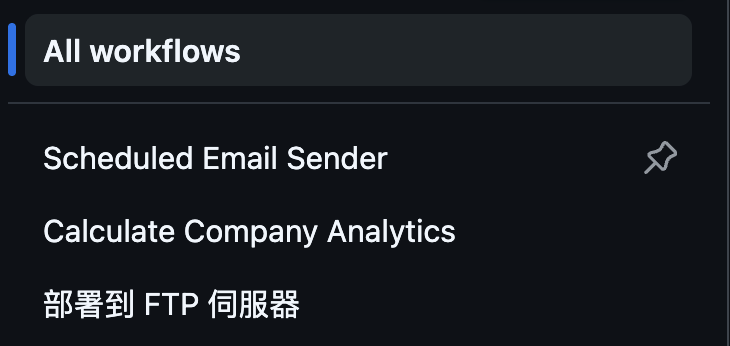
Here's how to extend an existing FTP deploy workflow to include tests. The key insight: run tests before the build step, so a broken component never gets deployed.
# .github/workflows/deploy-ftp.yml (extended with tests)
name: 部署到 FTP 伺服器

on:
  push:
    branches: [ main ]
  workflow_dispatch:

jobs:
  build-and-deploy:
    runs-on: ubuntu-latest

    steps:
    - name: 檢出程式碼
      uses: actions/checkout@v4

    - name: 設定 Node.js
      uses: actions/setup-node@v4
      with:
        node-version: '18'
        cache: 'npm'

    - name: 安裝依賴
      run: npm ci

    # ---- Tests run BEFORE build ----
    - name: 執行 Unit & Component 測試
      run: npx vitest run --reporter=verbose

    - name: 建置靜態網站
      run: npm run build
      env:
        NEXT_PUBLIC_SUPABASE_URL: ${{ secrets.NEXT_PUBLIC_SUPABASE_URL }}
        NEXT_PUBLIC_SUPABASE_ANON_KEY: ${{ secrets.NEXT_PUBLIC_SUPABASE_ANON_KEY }}
        NEXT_PUBLIC_SITE_URL: ${{ secrets.NEXT_PUBLIC_SITE_URL }}

    # ---- E2E tests against the built static files ----
    - name: 安裝 Playwright 瀏覽器
      run: npx playwright install --with-deps chromium

    - name: 執行 E2E 測試
      run: npx playwright test

    # ---- Deploy only if all tests pass ----
    - name: 準備部署檔案
      run: |
        cp public/*.php out/ || echo "No PHP files to copy"
        cp public/.htaccess out/ || echo "No .htaccess to copy"
        cp public/error404.html out/ || echo "No error404.html to copy"
        if [ -d "public/images" ]; then
          cp -r public/images out/ || echo "Failed to copy images directory"
        fi
        cp ga4-php-helper.php out/ 2>/dev/null || echo "No GA4 PHP helper to copy"

    - name: Deploy to FTP
      uses: SamKirkland/[email protected]
      with:
        server: ${{ secrets.FTP_HOST }}
        username: ${{ secrets.FTP_USERNAME }}
        password: ${{ secrets.FTP_PASSWORD }}
        local-dir: ./out/
        server-dir: /
        exclude: |
          **/.git*
          **/node_modules/**
          **/.next/**
          .env*
          *.md
The Playwright config serves the out/ directory with a local static server:
// playwright.config.ts
import { defineConfig } from '@playwright/test';

export default defineConfig({
  webServer: {
    command: 'npx serve out -l 3000',
    port: 3000,
    reuseExistingServer: !process.env.CI,
  },
  use: {
    baseURL: 'http://localhost:3000',
  },
  retries: process.env.CI ? 1 : 0,
});
This setup tests the actual static build — the same HTML/JS files that will be FTP'd to production. If the Supabase client initialization fails, if a component doesn't hydrate, if the static export breaks a dynamic route — you'll catch it here, before it reaches your Apache server.
What About Testing Supabase Logic?
You don't test Supabase. You test your code's assumptions about Supabase:
Your code does | You test by mocking |
|---|---|
|
|
|
|
Edge Function call via |
|
If Supabase changes their API, your mocks will still pass — but your production site will break. That's expected. E2E smoke tests (one or two tests hitting the real Supabase endpoint on a staging project) can catch this, but they're a monitoring concern, not a testing concern.
Real-World Impact: Subscriber Analytics
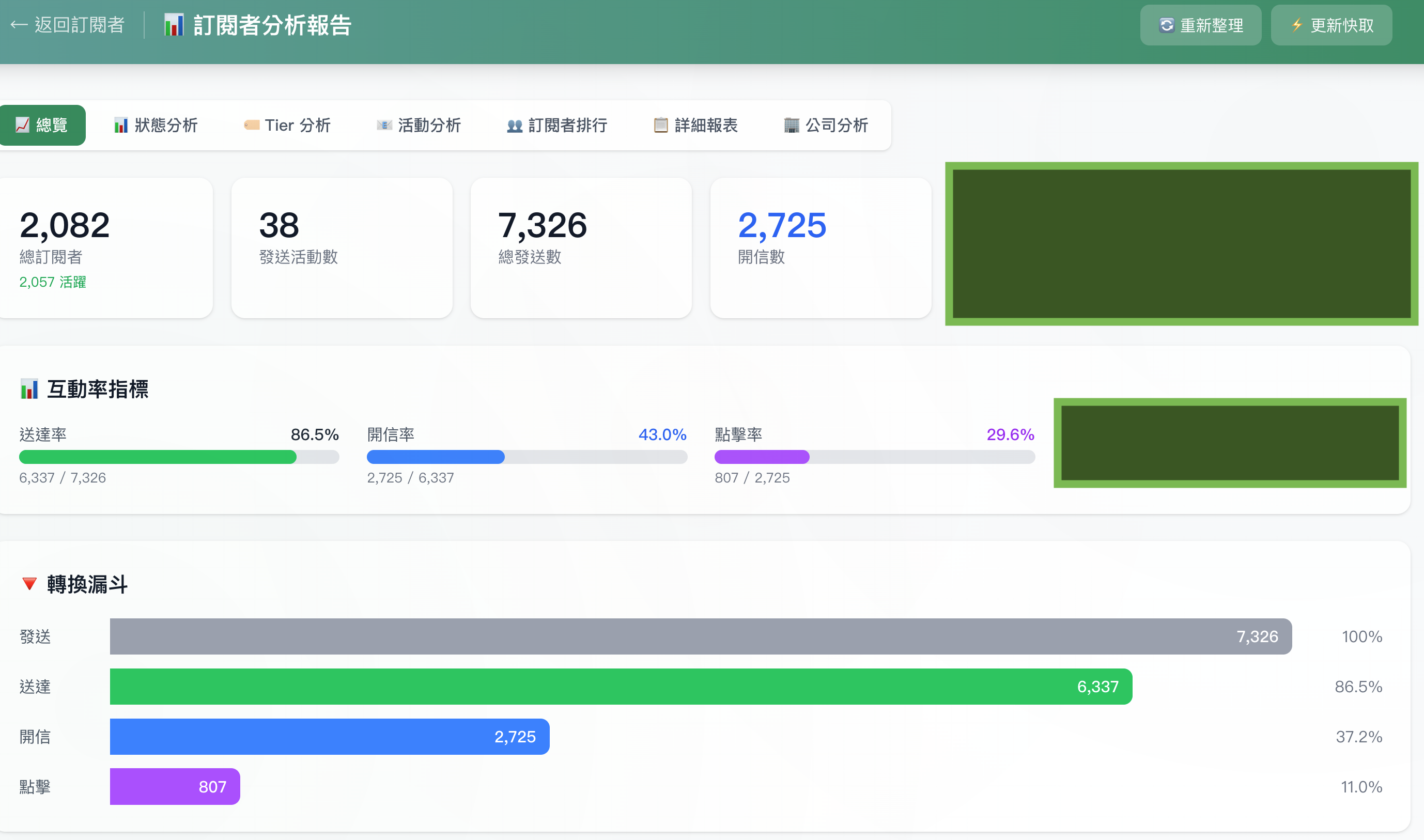
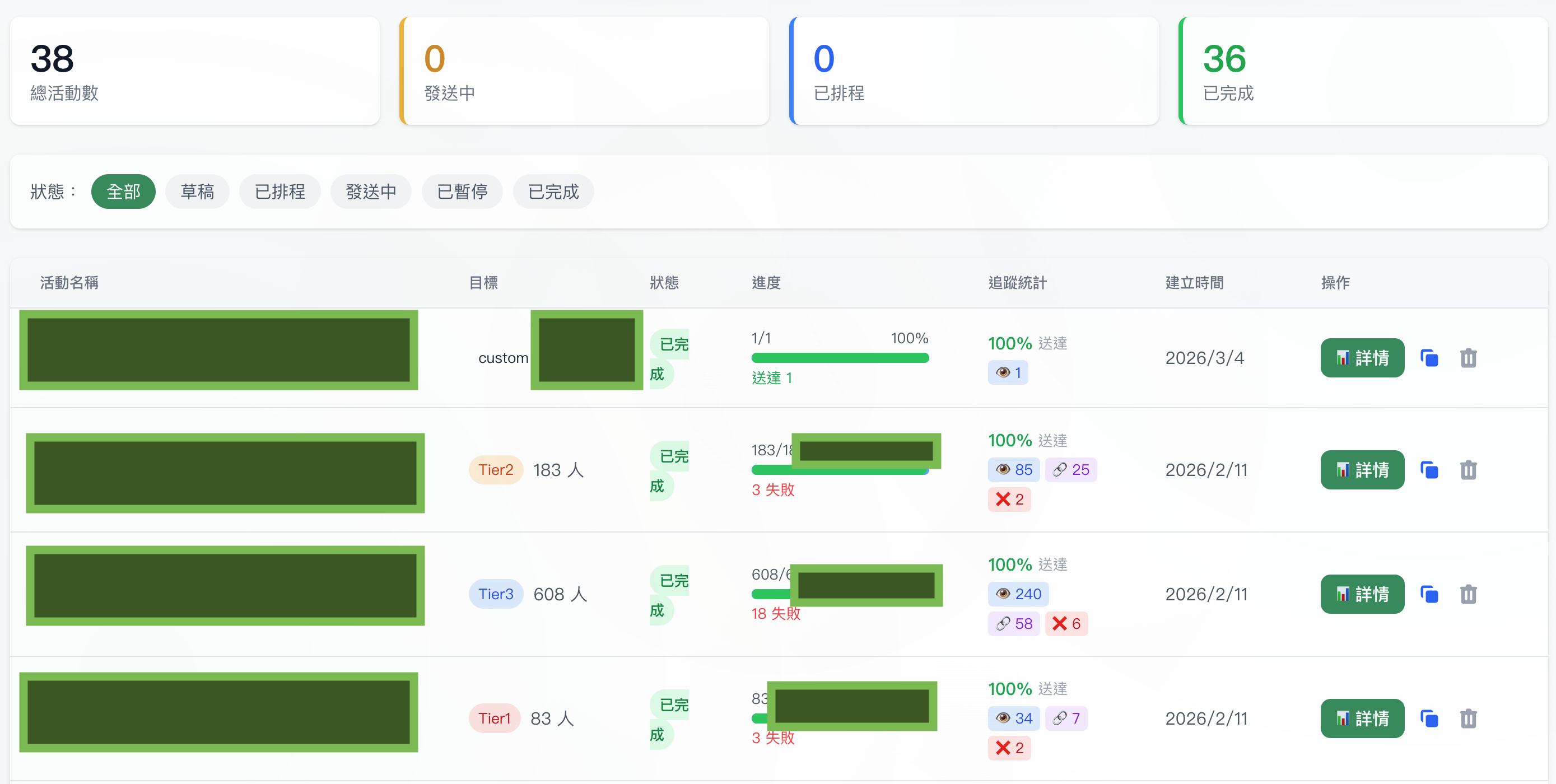
These dashboards show the production system that the tested components feed into. The NewsletterSubscribe form's anti-spam layers protect the subscriber list quality that drives these metrics — 43% open rate doesn't happen with a spam-filled list. Testing isn't abstract — it directly protects the reliability of a system serving 2,000+ subscribers across 38 campaigns.
Tests as Documentation
When a new team member joins and wants to understand what NewsletterSubscribe does, they can read the test file. The test names form a specification:
"silently succeeds when honeypot is filled"
"rejects disposable email domains"
"shows already-subscribed message on duplicate"
This is more reliable than comments, which rot. Tests are documentation that fails loudly when it becomes inaccurate.
In ISO 62304 contexts, this property is especially valuable. Your test suite is simultaneously a verification report and a living specification. When the auditor asks "how do you verify that disposable emails are rejected?", you point to the test, not a Word document that may or may not reflect reality.
Closing
Testing strategy is an engineering decision, not a religious one. You don't need 100% coverage. You need confidence — confidence that the code you just wrote works, that your refactor didn't break anything, and that new team members can understand the expected behavior.
The approach I've described — pure function unit tests, component tests for interactions, and targeted E2E tests for critical paths — gives you the most confidence for the least maintenance burden.
Every test in this post is grounded in a real component solving a real problem: stopping spam, debouncing clicks, detecting Markdown. Testing isn't extra work bolted onto development. It's a precision tool that makes the rest of your work more precise.
Start with the function you're least confident about. Write one test. Make it pass. Then decide what to test next.