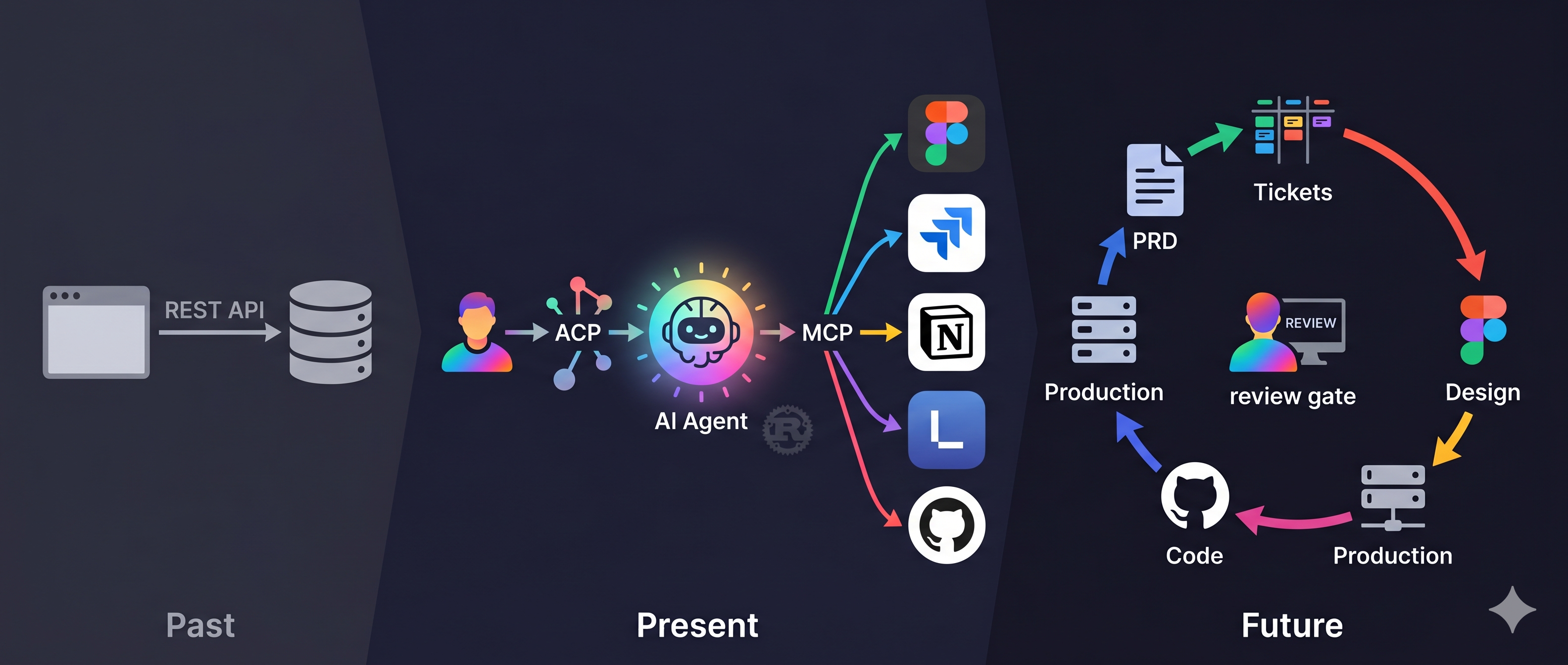
Previously
Last time, I showed how OpenAB + MCP automates design handoff — designer posts Figma link → AI auto-creates Jira tickets. One agent, one pipeline, one automation.
At the end of that article, I introduced the concept of No Human Code:
PRD (Notion)
  ↓  AI reads
Tickets (Linear/Jira)
  ↓  AI reads design
Spec (Figma)
  ↓  AI generates
Code (GitHub PR)
  ↓  Human reviews
Production

Where's the human coding? Only at the review gate.
That was an architecture diagram. This article documents what it actually looks like when it runs.
Why I Thought This Would Work
Some background first.
I've been a frontend engineer for 9 years. My DISC profile scores Conscientiousness at 90%. My MBTI is INFJ-A. In practical terms: I'm the kind of person who spends three days designing the architecture, making sure every piece is thought through, before letting anyone start building. Not because I need control — because experience has taught me that starting without solid architecture costs more time fixing things later than it saves.
In the past, "anyone" meant engineers on my team.
Now, there's another option: AI agents.
But AI doesn't just run on its own when you toss requirements at it. You need to think through a few things first:
How to structure the architecture — what should be built and how
How to divide scope — who handles what, what can they see
How to define acceptance — what does "done" look like
These are what I spend most of my time on. Analysis, breakdown, coding, testing — AI handles those, and handles them reasonably well.
The Scene: Sidewalk, 12:23 PM
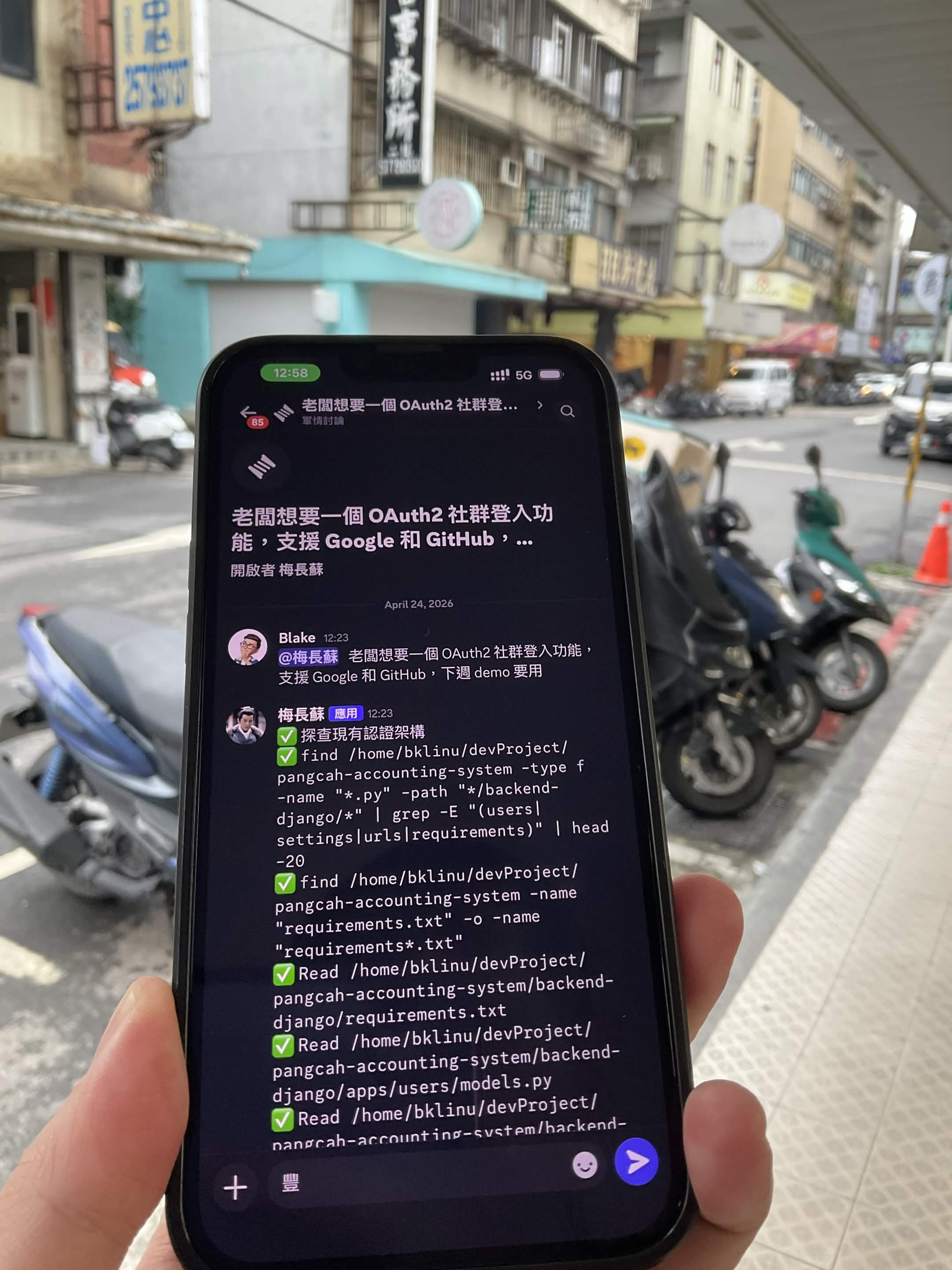
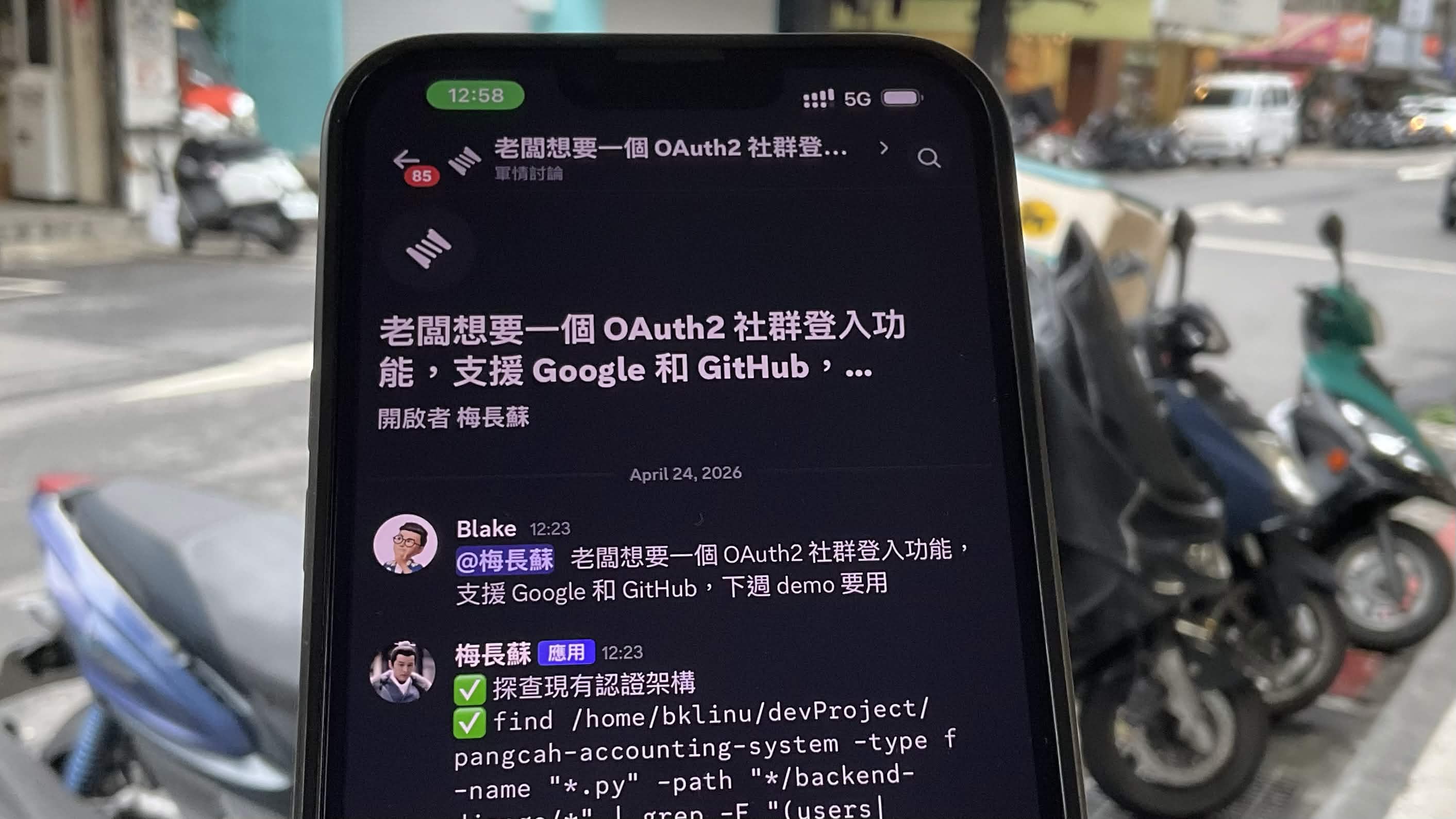
Saturday, 12:23 PM. A sidewalk in Taipei. Waiting for my Uber.
Boss wanted OAuth2 social login — Google and GitHub — ready for next week's demo. I stood there thinking for a moment. OAuth2 isn't a small feature. Usually just aligning on requirements takes half a day. But I'd designed this project's architecture. Each agent's scope was defined. The working_dir paths were already set. If the system design was right, one sentence should be enough.
I opened Discord on my phone and typed:
"@梅長蘇 Boss wants OAuth2 social login, support Google and GitHub, need it for next week's demo"
Sent.
Honestly, I wasn't entirely sure when I hit send. I didn't know if the AI would correctly assess the codebase's current state, or if the task delegation would be good enough. But my thinking was — if the output is off, I'd know immediately. The risk was manageable.
Everything that happened next completed in the five minutes I spent waiting for my car.
The Architect Wakes Up (12:23 PM)
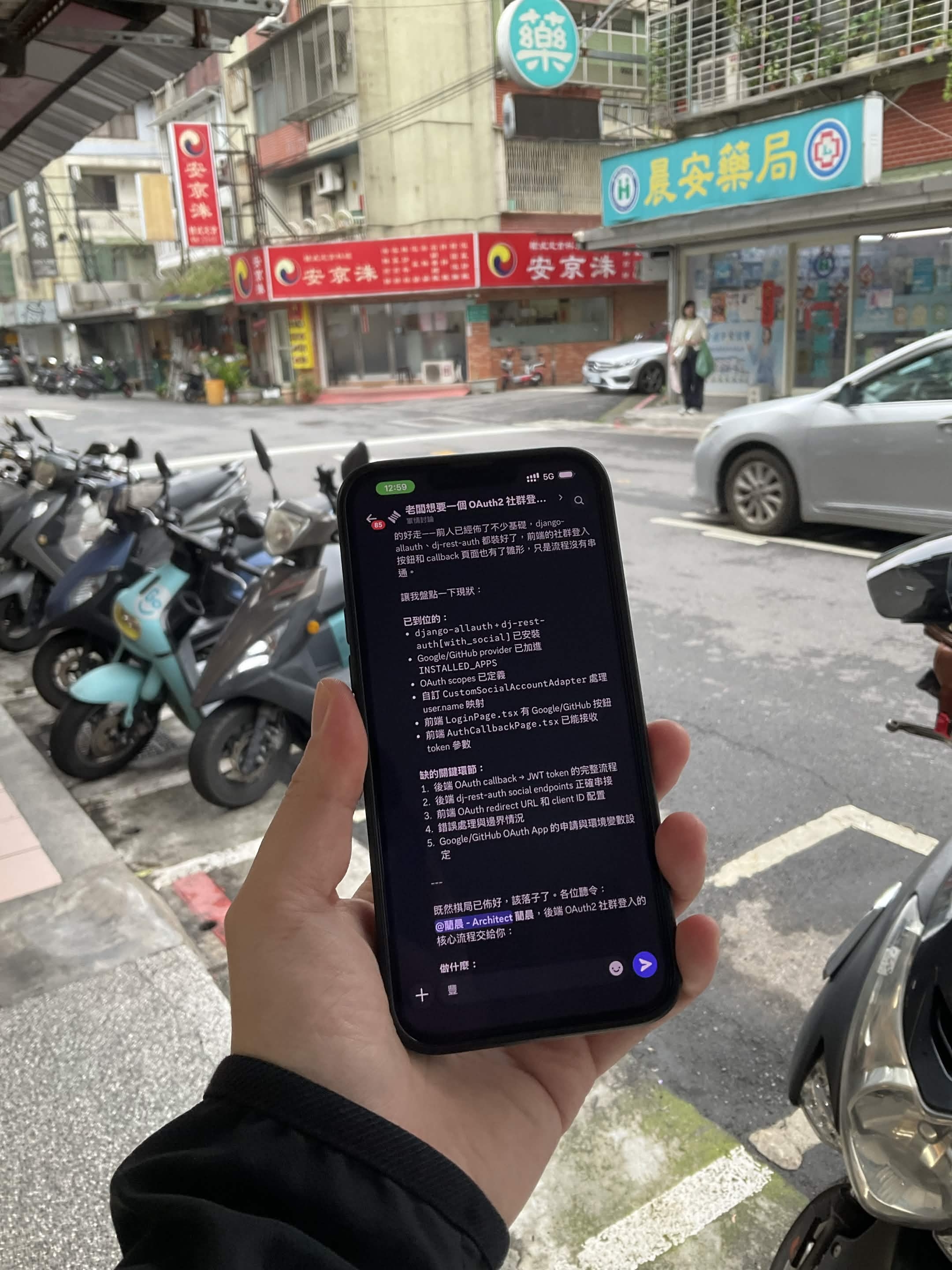
梅長蘇 is the Architect agent. It received the instruction and didn't start coding — it started scanning the entire codebase to assess the current state.
It found:
django-allauth+dj-rest-authalready installedGoogle/GitHub providers already in
INSTALLED_APPSOAuth scopes already configured
Custom
CustomSocialAccountAdapterhandling user.name mappingFrontend
LoginPage.tsxwith Google/GitHub buttonsFrontend
AuthCallbackPage.tsxalready receiving token parameters
Then it made a judgment call:
"Previous work has laid significant groundwork... the frontend social login buttons and callback page have a basic form, but the flow isn't connected end to end."
It listed exactly five missing pieces:
Backend OAuth callback + JWT token complete flow
dj-rest-auth social endpoints proper wiring
Frontend OAuth redirect URL and client ID configuration
Error handling and edge cases
Google/GitHub OAuth App credentials and environment setup
When I saw this analysis, the direction seemed right. It didn't just list what was missing — it first confirmed what was already done, then identified the gaps. That's the same logic I use when analyzing a codebase: assess current state first, then measure the delta.
The Delegation (12:23 - 12:27 PM)
I was still on the sidewalk. Uber was two minutes away. 梅長蘇 had already started assigning.
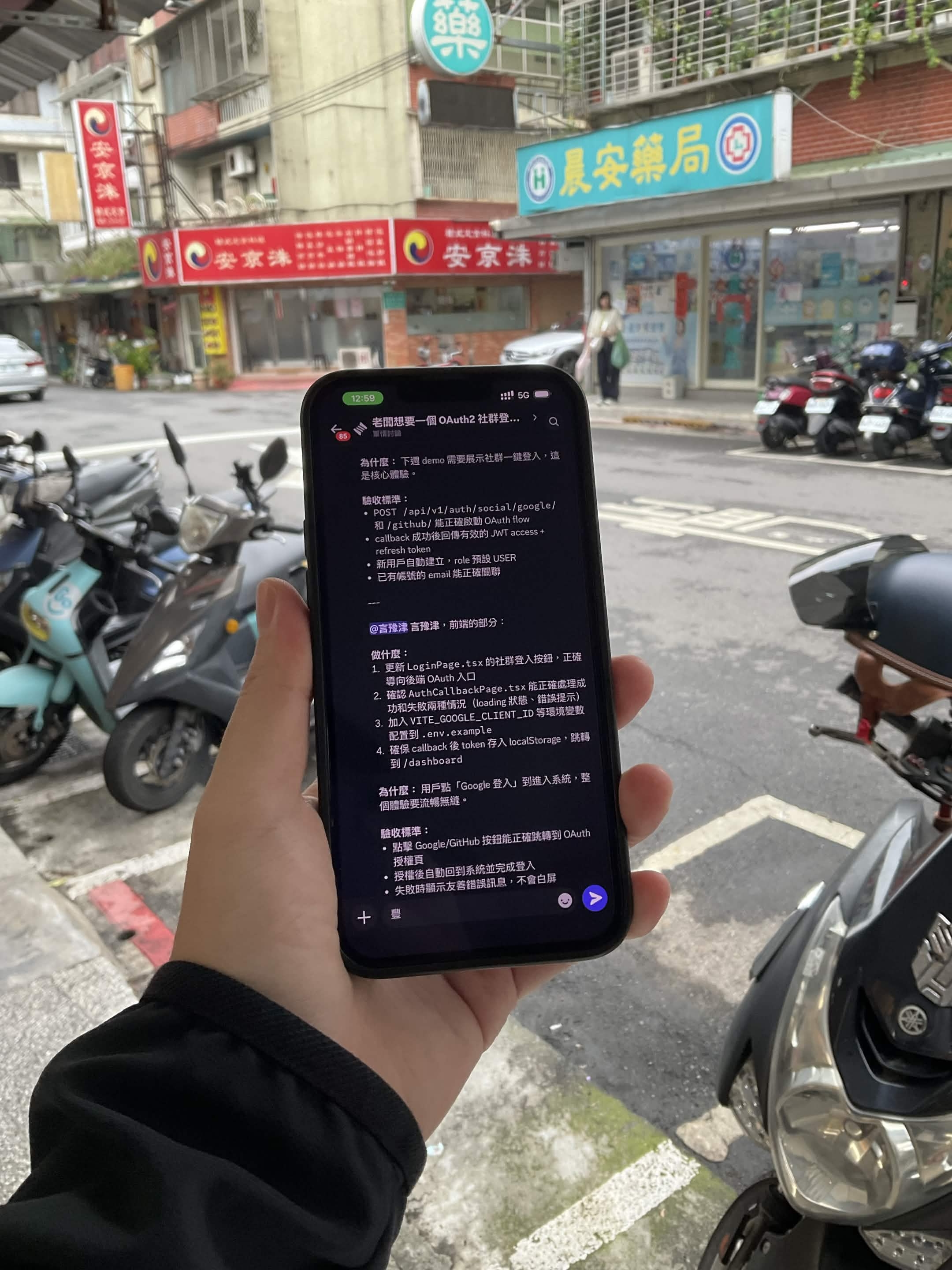
@簡晨 (Backend Dev):
Implement
SocialLoginView: dynamically build authorization URL by provider and redirectImplement
SocialCallbackView: receive authorization code, exchange token via allauth to create/link userOn successful callback, generate JWT and redirect to frontend
/auth/callback?access=...&refresh=...Auto-create new users with default role USER; existing users (same email) auto-link social account
Why: This is the core of the entire OAuth flow. From button click to token return, it all depends on this.
Acceptance criteria:
POST /api/v1/auth/social/google/and/github/correctly initiate OAuth flowSuccessful callback returns valid JWT access + refresh token
New users auto-created, existing users correctly linked
@言豫津 (Frontend):
Update
LoginPage.tsxsocial login buttons to correctly route to backend OAuth endpointsVerify
AuthCallbackPage.tsxhandles both success and failure states (loading state, error messages)Add
VITE_GOOGLE_CLIENT_IDenvironment variables to.env.exampleEnsure callback stores token in localStorage and redirects to
/dashboardWhy: From clicking "Google Login" to entering the system, the entire experience must be seamless.
Acceptance criteria:
Google/GitHub buttons correctly redirect to OAuth authorization page
After authorization, auto-redirect back and complete login
On failure, display friendly error message — no white screen
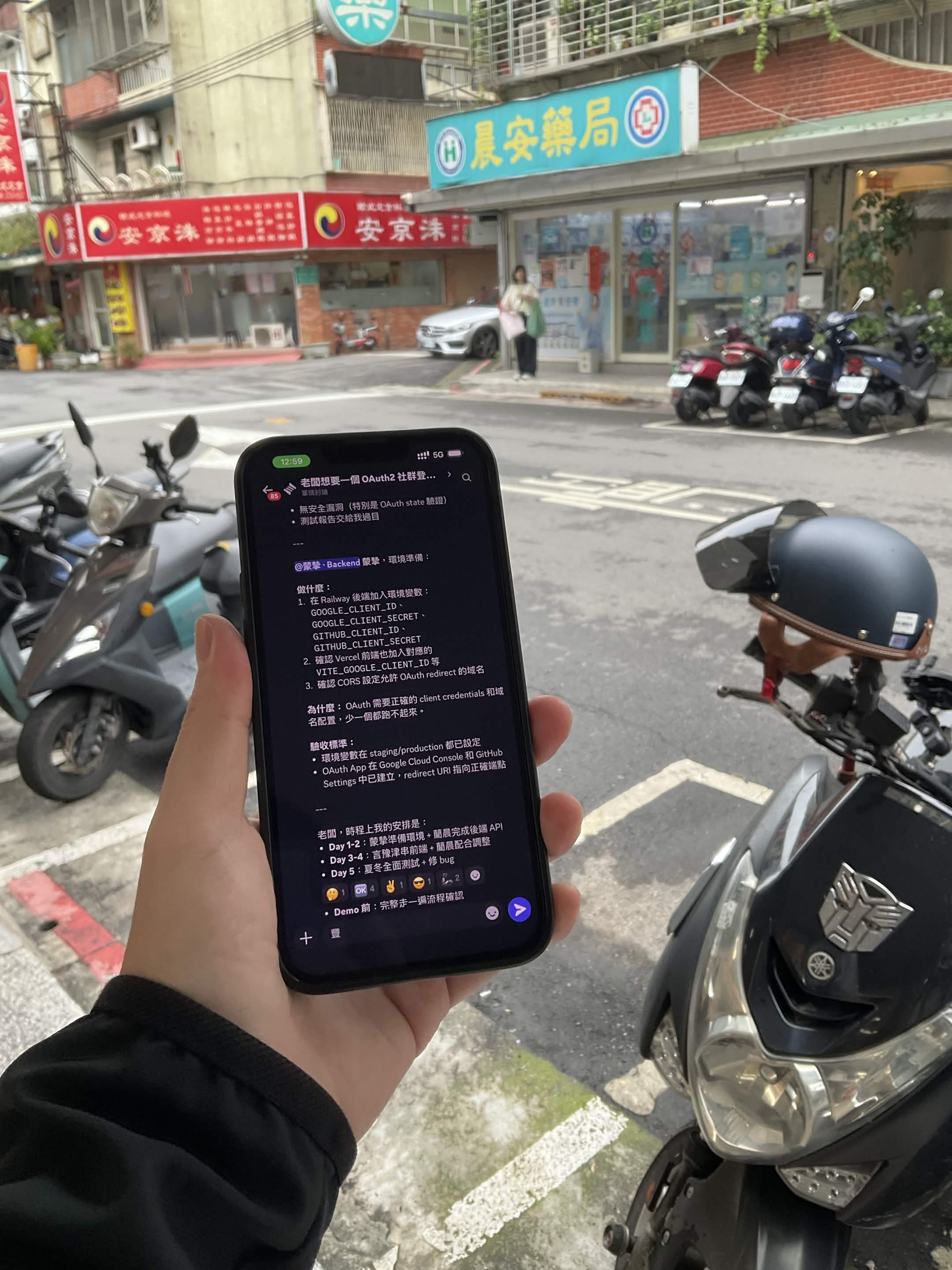
@蒙摯 (Backend Ops):
Add environment variables to Railway:
GOOGLE_CLIENT_ID,GOOGLE_CLIENT_SECRET,GITHUB_CLIENT_ID,GITHUB_CLIENT_SECRETVerify Vercel frontend has matching
VITE_GOOGLE_CLIENT_IDConfigure CORS settings to allow OAuth redirect domains
Why: OAuth requires correct client credentials and domain configuration. Miss one and nothing works.
Acceptance criteria:
Environment variables set in both staging/production
OAuth Apps created in Google Cloud Console and GitHub Settings, redirect URIs pointing to correct endpoints
Then 梅長蘇 did something I didn't expect — it created a timeline on its own:
Day 1-2: 蒙摯 prepares environment + 簡晨 completes backend API
Day 3-4: 言豫津 wires frontend + 簡晨 coordinates adjustments
Day 5: 夏冬 full QA + bug fixes
Before demo: Complete end-to-end walkthrough
Team responded with emojis. Work started.
I looked at the timeline and the ordering made sense — environment and backend first, then frontend integration, then testing. A junior PM might not think to have Ops prepare the environment before anything else.
About four minutes had passed. I was still on the sidewalk.
QA Steps In (12:27 PM)
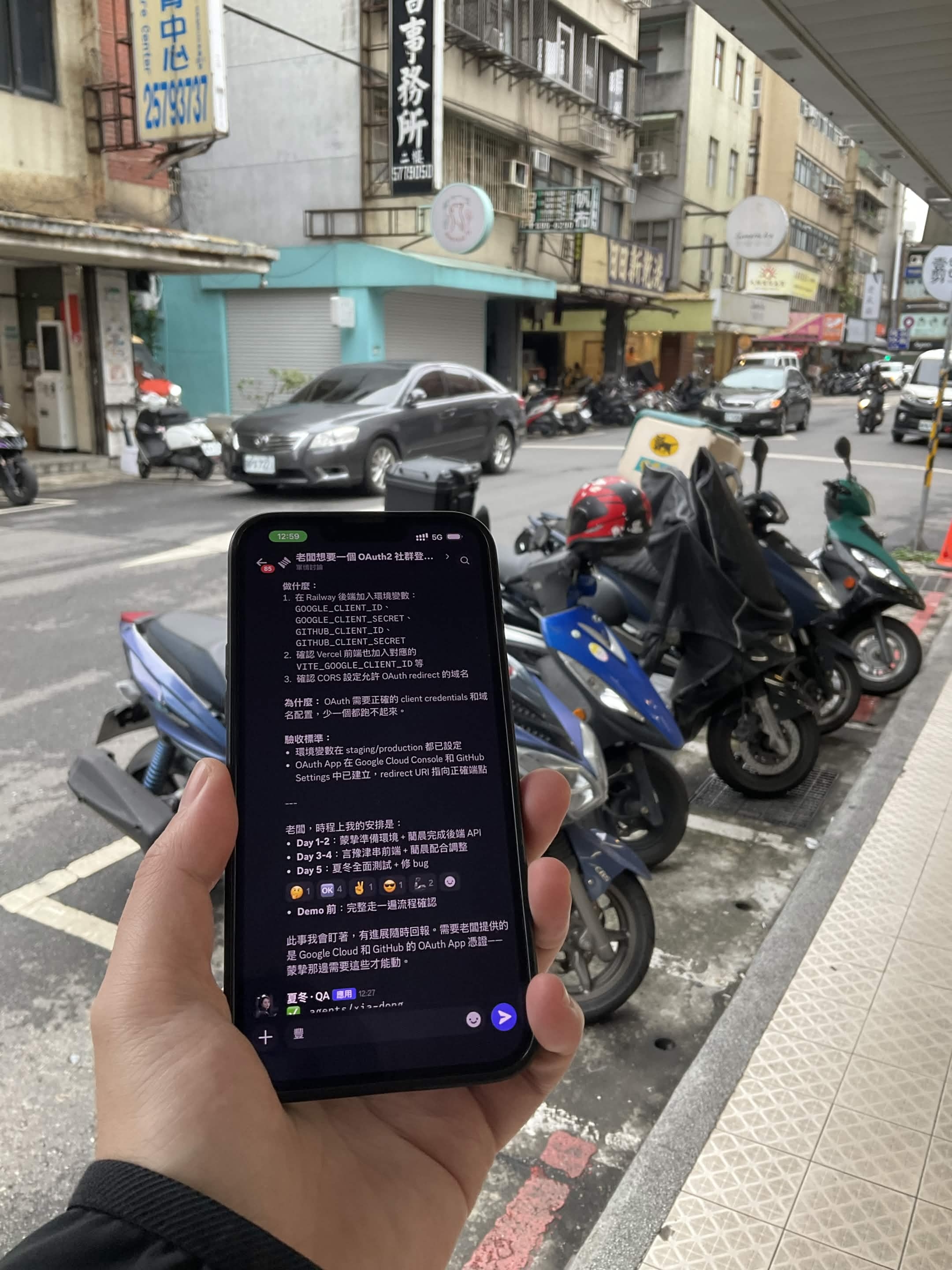
夏冬, the QA agent, didn't wait for code to be written. It stepped in immediately:
"I'll be monitoring this. What we need from the boss is the Google Cloud and GitHub OAuth App credentials — 蒙摯's side needs these before anything can move."
This surprised me. QA typically enters at the end of the process. But 夏冬 identified a real blocker before a single line of code was written — without OAuth credentials, 蒙摯's environment setup couldn't even start.
That's the value of multi-agent — not one AI doing everything, but each agent thinking from its own perspective simultaneously. Architect thinks about structure, Backend thinks about implementation, QA thinks about risk. They don't need to wait for each other.
Back at the Desk
Uber arrived at 12:28. I got in. By the time I sat down at my desk:
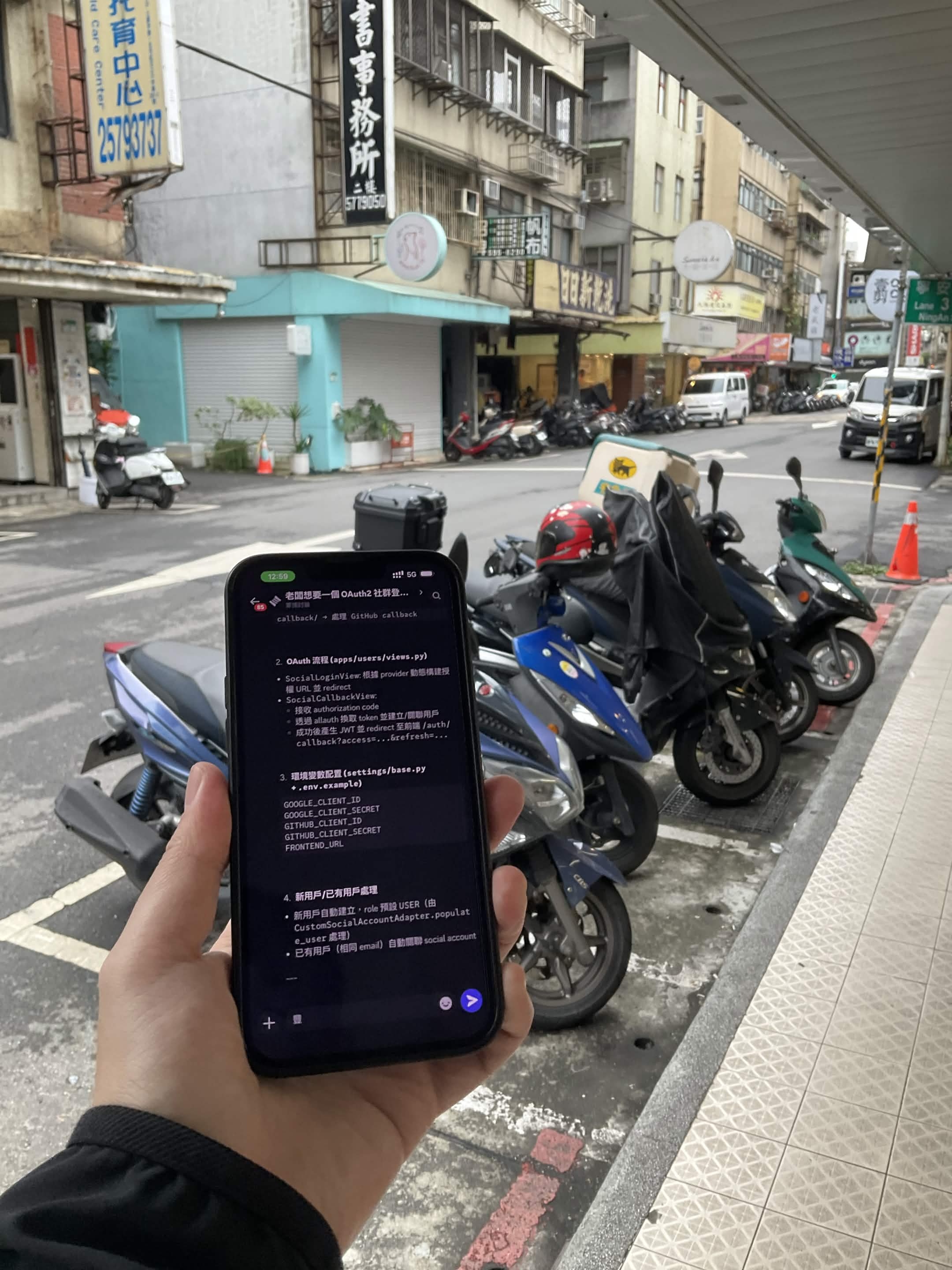
簡晨 had outlined the complete OAuth flow with code structure
言豫津 had identified every frontend file needing changes
蒙摯 had listed every environment variable required
夏冬 had a QA plan ready
I opened my laptop. Didn't write a spec. Didn't create tickets. Didn't schedule a planning meeting. Didn't explain requirements to four different people in four different ways.
I opened the PRs and started reviewing code.
Before:
  Requirement → Spec → Meeting → Tickets → Assign → Wait → Code → Review

After:
  One sentence → Review
The middle part was compressed into five minutes of AI collaboration. I did two things:
Made the decision (one sentence from the sidewalk)
Checked the quality (Code Review)
Looking back, this is probably what No Human Code looks like in practice. Less dramatic than it sounds, but it genuinely eliminated the back-and-forth of "aligning on requirements." The human isn't gone — they show up where judgment is actually needed.
Why This Works: Scope, Not Magic
This isn't one AI pretending to be four people. It's four agents, each with their own scope.
Blake: "Boss wants OAuth2"
  │
  ├→ 梅長蘇 (Architect)
  │   working_dir: /pangcah-accounting-system
  │   Sees: entire project — analyzes and delegates
  │
  ├→ 簡晨 (Backend)
  │   working_dir: /pangcah-accounting-system/backend-django
  │   Sees: Django models, views, urls
  │
  ├→ 言豫津 (Frontend)
  │   working_dir: /pangcah-accounting-system/frontend-react
  │   Sees: React components, pages, hooks
  │
  ├→ 蒙摯 (Ops)
  │   working_dir: /pangcah-accounting-system
  │   Sees: env, docker-compose, deployment configs
  │
  └→ 夏冬 (QA)
      working_dir: /pangcah-accounting-system
      Sees: entire project — test planning and security review
Last article I mentioned: You don't teach AI "you are a frontend expert." You point it at the frontend folder. This article extends the same idea to an entire team.
言豫津 sees .tsx files, not Django models.
簡晨 sees views.py, not React components.
They don't get confused because they only see what's relevant to their job.
I think this is the most practical approach to multi-agent right now. Not making AI smarter — just scoping it cleanly.
Not Just Scope: A Cloud + Local Hybrid Architecture
There's another design decision behind this system — not every agent runs on the same model.
The Architect agent runs on Claude via ACP. It handles architecture analysis and task delegation — work that requires strong reasoning and understanding of the full codebase. For this role, I chose a cloud model.
The other four agents run on local models via OpenCode, connected to OpenAB through Ollama:
Agent | Role | Model | Runtime |
|---|---|---|---|
Architect | Architecture + delegation | Claude (cloud) | claude-agent-acp |
Backend | Django OAuth flow | qwen3.5:35b | opencode acp (local) |
Frontend | React components | devstral:24b | opencode acp (local) |
Ops | Environment + deploy | qwen3.5:35b | opencode acp (local) |
QA | Test planning + review | devstral:24b | opencode acp (local) |
# config.toml — Hybrid Architecture

[[agents]]
name = "architect"
command = "claude"
args = ["--acp"]
working_dir = "/path/to/your-project"
# Architect: Claude for strong reasoning

[[agents]]
name = "backend"
command = "opencode"
args = ["acp"]
working_dir = "/path/to/your-project/backend"
# Backend: local qwen3.5:35b, sufficient for scoped tasks

[[agents]]
name = "frontend"
command = "opencode"
args = ["acp"]
working_dir = "/path/to/your-project/frontend"
# Frontend: local devstral:24b, strong code generation

[[agents]]
name = "ops"
command = "opencode"
args = ["acp"]
working_dir = "/path/to/your-project"
# Ops: local qwen3.5:35b, environment config

[[agents]]
name = "qa"
command = "opencode"
args = ["acp"]
working_dir = "/path/to/your-project"
# QA: local devstral:24b
Why split it this way?
The Architect needs to see the entire project, make cross-domain judgments, and decide who does what. Local models aren't stable enough for this yet — they occasionally miss context or produce unclear delegation. So I keep this role on Claude.
But execution-layer agents don't need that level of reasoning. The backend agent only needs to look at Django's views.py and write an OAuth flow. The frontend agent only needs to look at .tsx files and update components. With clean scoping, qwen3.5:35b and devstral:24b handle these tasks well.
In practice: only one agent in the entire interaction uses a cloud API. The other four run on my own machine.
This isn't just about cost. In my previous article, I mentioned Anthropic suspending 60+ accounts at a single company overnight. If every agent was on Claude, that suspension would kill the entire system. With a hybrid architecture, if the Architect goes down, the execution-layer agents can still continue working on tasks that were already delegated.
┌──────────────────────────────────────────────┐
│           Mixed Architecture                  │
│                                              │
│   Cloud (Claude ACP):                        │
│   └── Architect — analysis + delegation      │
│                                              │
│   Local (OpenCode + Ollama):                 │
│   ├── Backend  — qwen3.5:35b (23GB)         │
│   ├── Frontend — devstral:24b (14GB)         │
│   ├── Ops      — qwen3.5:35b                │
│   └── QA       — devstral:24b                │
│                                              │
│   Same OpenAB. Same Discord. Mixed brains.   │
└──────────────────────────────────────────────┘
Numbers
Traditional | OpenAB Multi-Agent | |
|---|---|---|
Understanding requirements | 1-2 hour meeting | 0 (AI reads codebase) |
Writing spec | PM spends 2 hours | 0 (AI analyzes and generates) |
Creating tickets | PM spends 1 hour | 0 (AI delegates directly) |
Engineers asking about spec | 1-2 days back-and-forth | 0 (every task has full AC) |
Start coding | Day 3 | Day 1 |
My time | Entire process | Decision + Code Review |
What Changes for Engineers
Before:
Monday: Planning meeting
Tuesday: Read spec, ask questions, wait for answers
Wednesday: Finally start coding
Thursday-Friday: Code + fix misunderstood requirements
After:
Saturday sidewalk: One sentence
Saturday afternoon: Review first batch of PRs
Monday: Feature enters QA
The biggest difference isn't speed — it's skipping the requirement alignment back-and-forth. AI already read the code, found the gaps, and wrote tasks with full context. Engineers don't receive "implement OAuth2" — they receive concrete tasks with acceptance criteria.
Personality and System Fit
This system works partly because of how I tend to work.
DISC Conscientiousness = 90%. My natural tendencies:
Invest heavily in architecture design — build systems clear enough that anyone (or any AI) can execute
Define precise acceptance criteria — no ambiguity, no room for interpretation
Don't personally write every line of code — focus on making sure what's written matches the architecture
This personality type usually fills tech lead or architect roles. AI agents happen to work well with this style — they don't mind detailed specs, they don't show up late to meetings, they don't misunderstand requirements (as long as you give them the right scope).
But I don't think everyone needs to work this way. The point is figuring out what part of your workflow is least replaceable by tools and letting tools handle the rest.
For me, it's architecture decisions and code review.
For a PM, it might be prioritization and stakeholder communication.
For a designer, it might be creative direction and user insight.
No Human Code doesn't eliminate people. It lets everyone spend their time on what they're actually best at.
Closing
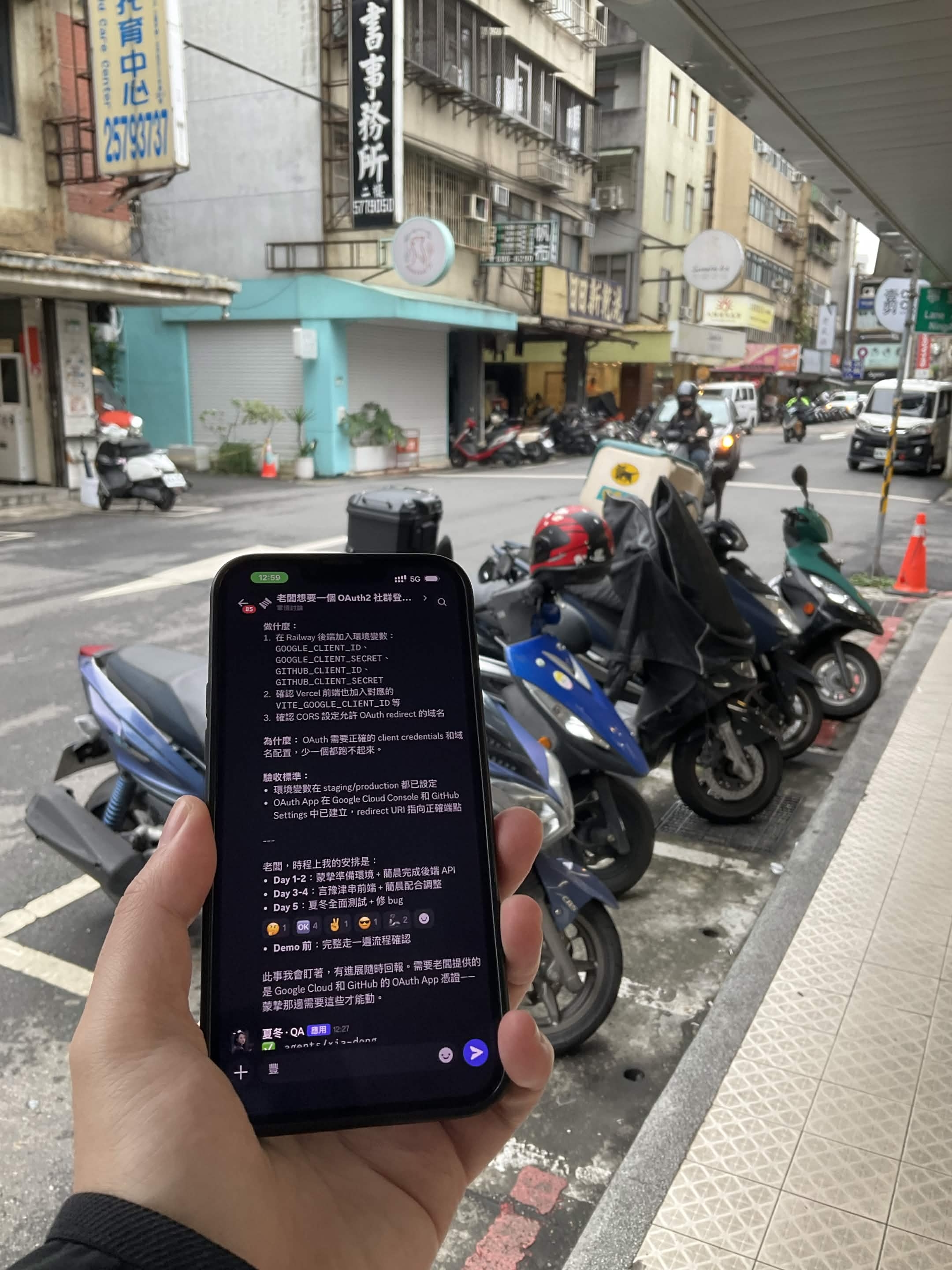
The article you just read — the first draft was also written in Discord using OpenAB. Sidewalk, one sentence, AI writes, I review. Same workflow as the OAuth2 feature. Same tool as the Figma → Jira pipeline.
Not perfect — AI occasionally misses things, task granularity isn't always right, and technical judgments aren't correct every time. But the direction is right: hand the repetitive analysis and breakdown to the system, and focus on the parts that need human judgment.
Open source: GitHub: openabdev/openab
Previous: From "No to OpenClaw" to "AI Auto-Creates Jira Tickets"
Blake Hung — 9 years in frontend engineering. INFJ-A. DISC C=90%. Spends time on architecture, uses AI to execute. OpenAB contributor, acp-bridge author. Last article: rejected OpenClaw, automated Figma→Jira. This article: four AI agents planned a full feature. Next: local AI infrastructure, zero cloud dependency.