Decision 1: One large model, or two specialized ones?
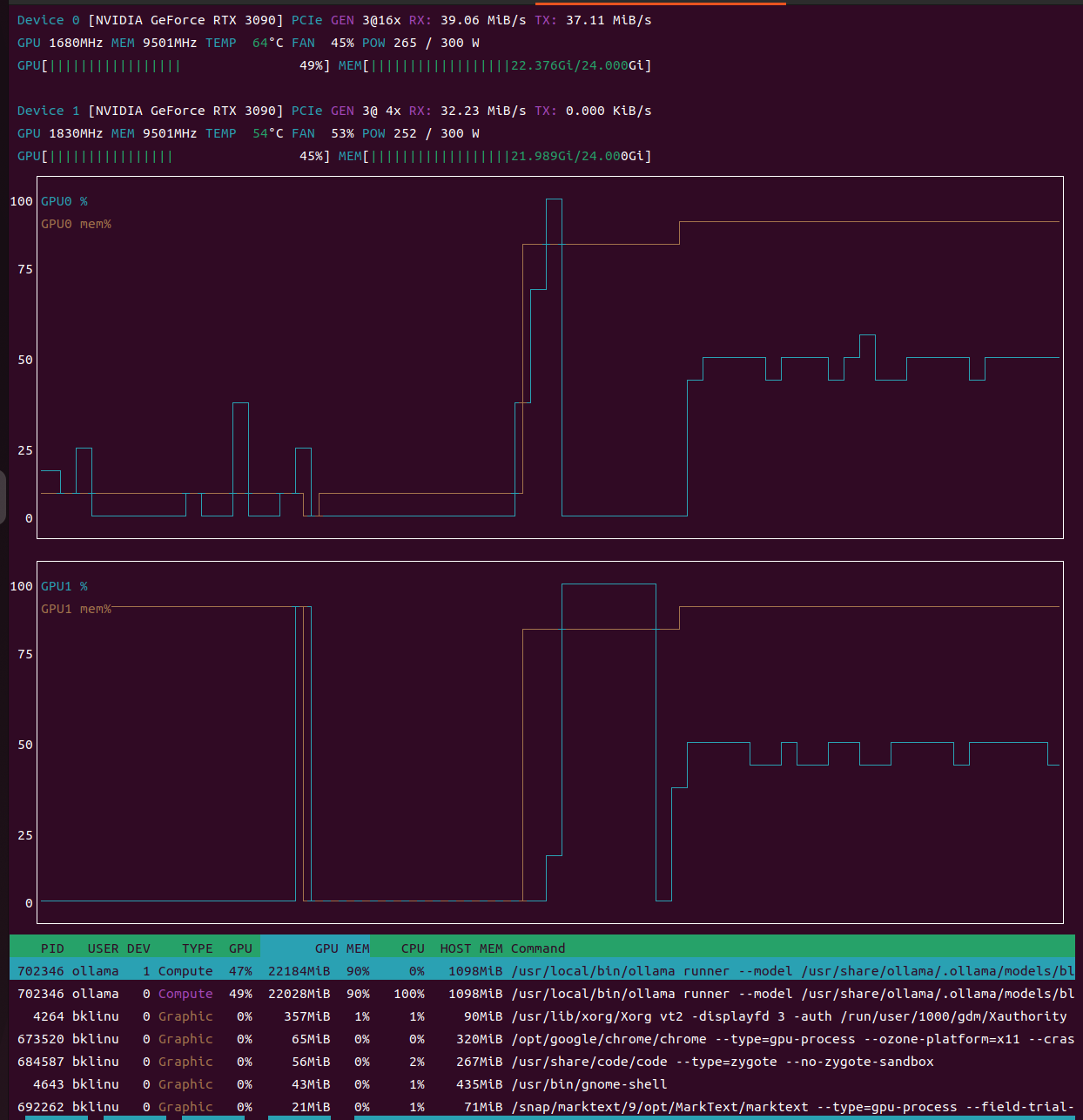
Two RTX 3090s. 48GB of VRAM total. No NVLink, asymmetric PCIe lanes.
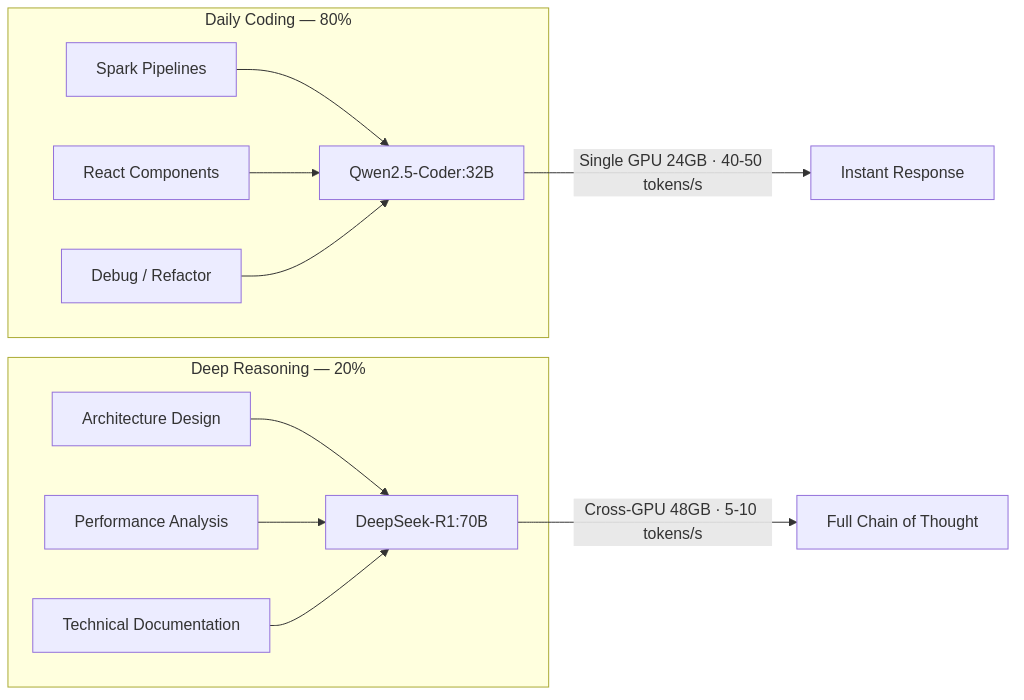
Before committing to any architecture, I needed to see the numbers. The naive approach would be to combine both GPUs for a single large model. But cross-GPU inference without NVLink drops to 5-10 tokens/s — far too slow for interactive coding sessions where latency kills flow state.
So I profiled how engineering time actually breaks down:
~80% interactive work — writing code, refactoring, debugging, running tests. This demands sub-second latency.
~20% deep analysis — architecture design, schema evolution strategy, complex debugging. This demands reasoning depth, not speed.
Two different cadences. Two different models.
Model | Role | Hardware | Throughput |
|---|---|---|---|
Qwen2.5-Coder:32B | Interactive coding — completion, refactoring, debugging | Single GPU (19GB VRAM) | 40-50 tokens/s |
DeepSeek-R1:70B | Architectural reasoning — full chain-of-thought output | Cross-GPU pipeline (42GB VRAM) | 5-10 tokens/s |
Principle: Don't fight hardware constraints. Let them dictate division of labor. The same principle applies to choosing between microservices and monoliths — the constraint shapes the architecture.
Decision 2: Where does AI enter the workflow — and through what interface?
Model selection is a solved problem once you know your constraints. The harder question is integration: at what points in an engineer's daily workflow should AI have access, and through what interface?
I mapped every access point against a specific context. If a tool didn't have exactly one clear reason to exist, it didn't belong in the system. Four survived.
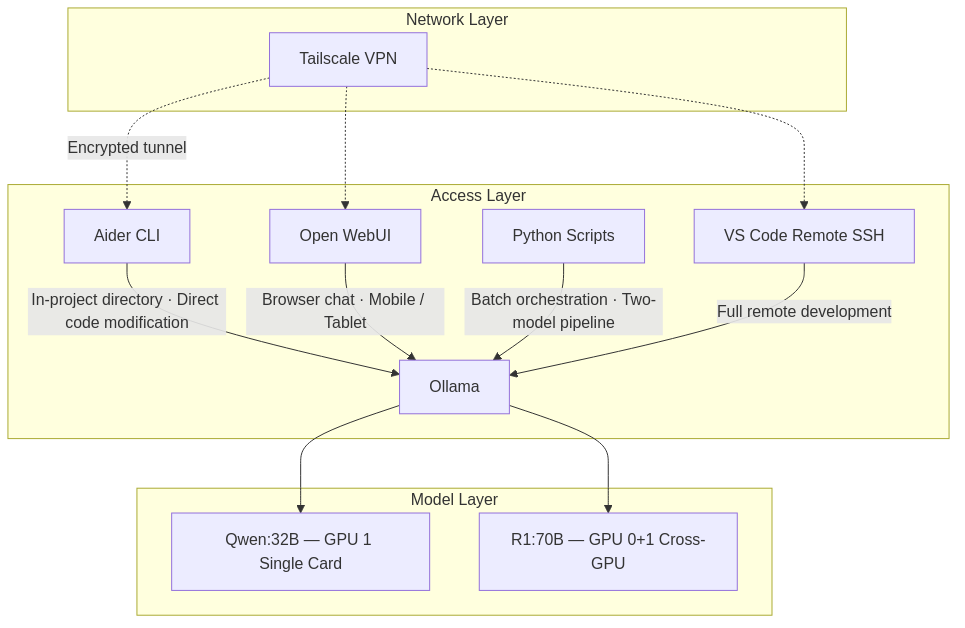
What a typical day looks like
Time | Location | Task | Tool | Model |
|---|---|---|---|---|
Morning | At the workstation | Writing PySpark ETL pipelines | Aider CLI (in project directory) | Qwen:32B |
Afternoon | At the workstation | Designing Iceberg partition strategy | Python batch script (R1 reasons → Coder implements) | R1:70B → Qwen:32B |
Evening | Remote (Mac, coffee shop) | Building React components | VS Code Remote SSH + Aider | Qwen:32B |
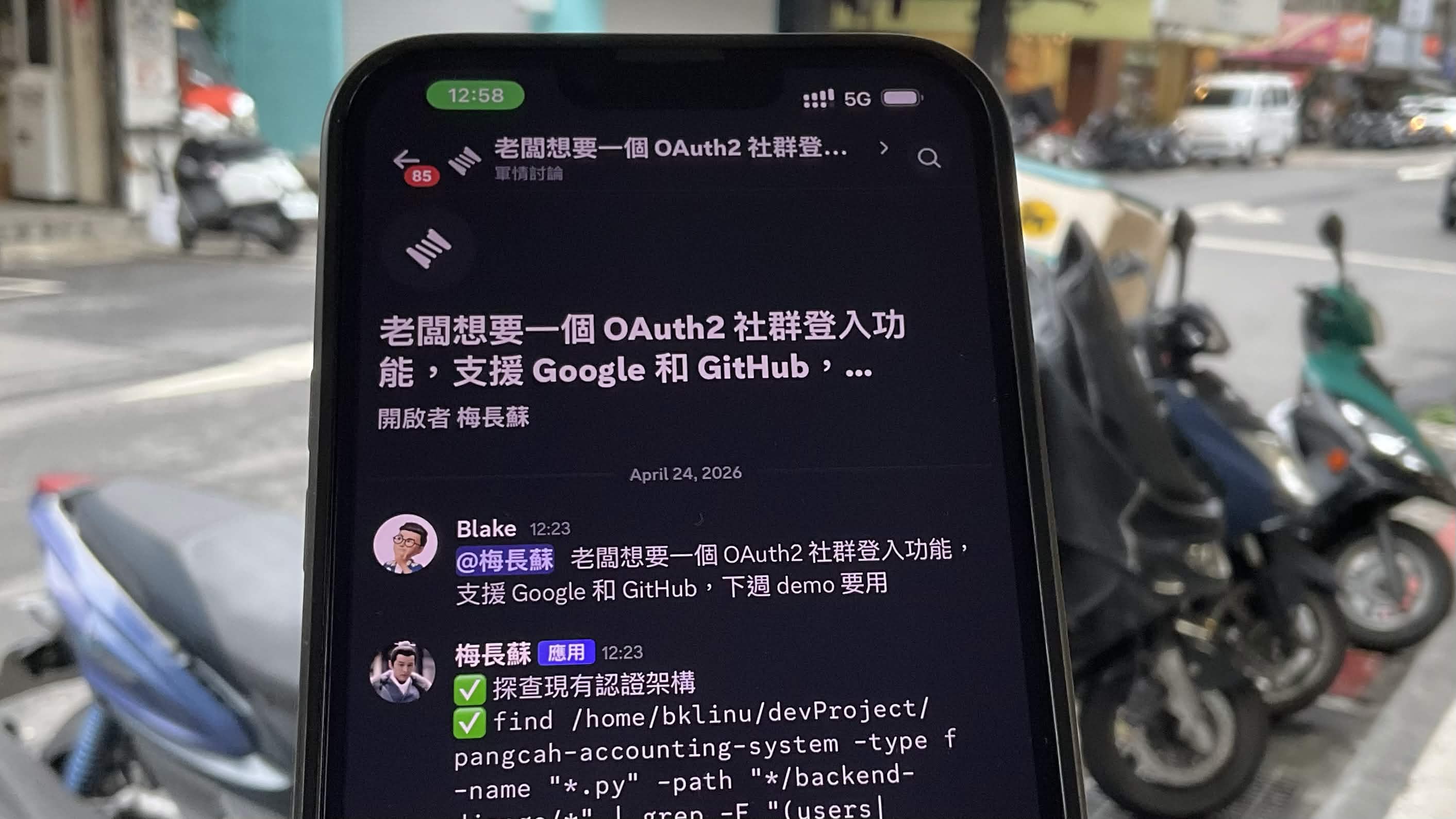
Commute | Phone | Technical concept lookup | Open WebUI (browser) | Qwen:32B |
Remote access runs through Tailscale — WireGuard-based mesh VPN. No ports exposed, no traffic through third-party servers, no public IP required. The same security posture you'd expect from production infrastructure.
Principle: Every tool in the workflow must justify its existence with a specific, non-overlapping use case. If two tools serve the same context, eliminate one. This isn't minimalism — it's operational discipline.
Decision 3: Should I deploy OpenClaw?
This required the most evaluation time. I don't make decisions by instinct — I make them by exhausting the evidence first.
OpenClaw gained significant traction in early 2026. It provides autonomous computer control through messaging platforms (Telegram, WhatsApp, Slack), can read and write files, execute shell commands, browse the web, and write code to extend its own capabilities.
The capability set, if deployed:
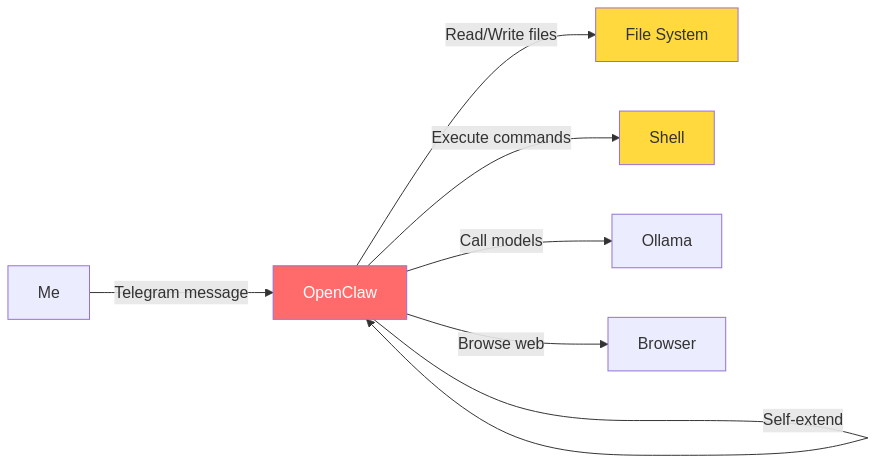
Impressive surface area. So I built a risk matrix — because capability without a threat model is just exposure:
Risk | Severity | Acceptable? |
|---|---|---|
Unrestricted file read/write across the entire machine | High | No |
Cisco's security team documented data exfiltration in third-party skills | High | No |
Local models lack judgment reliability for autonomous file/message operations | Medium | No |
Self-evolving behavior means incomplete auditability | Medium | No |
Four rows. Four "No"s. When every line in the risk matrix fails, the decision isn't close — you walk away.
The architectural difference between my approach and OpenClaw is not about capability — it's about where the decision boundary sits:

Principle: The capability boundary of AI is not the permission boundary you should grant it. In any system — software or organizational — the cost of failure scales with the scope of autonomous authority. AI generates. Humans authorize. That boundary should be explicit, not emergent.
The Full Stack: Three Layers, Each With a Role
This local server isn't a replacement for cloud AI. It's one layer in a three-layer system:
Layer | Tool | Role | Trigger |
|---|---|---|---|
Cloud CLI | Claude Code | Primary development partner — project-level file access, command execution, strongest reasoning | Default for most development tasks |
Cloud Web | Gemini | Real-time web search, cross-referencing, concept clarification | When live information or a second perspective is needed |
Local GPU | Ollama + Aider / Open WebUI | Offline development, private data processing, batch reasoning | When code or data should not leave the local network |
Each layer has a clear trigger condition. The local layer exists specifically for one scenario: when the cost of sending code or data to a third-party server exceeds the cost of running a less capable model locally.
That's not a philosophical stance. It's a risk calculation.
Boundaries: What This System Cannot Do
I'm uncomfortable with systems that don't declare their own boundaries. Any honest architecture document includes limitations:
No internet access. The local models cannot search, fetch live data, or access anything beyond their training cutoff. They are offline reasoning engines.
No proactive behavior. They do not monitor, alert, or initiate. They respond when asked.
Weaker than cloud frontier models. Claude and GPT-4 produce objectively better output for complex reasoning tasks.
Within its defined scope — code generation, architecture analysis, bug diagnosis, technical documentation processing — the system performs adequately. Zero marginal cost. Complete data privacy. Available 24/7 without network dependency.
This was never a choice between "best" and "second-best." It was a choice between convenience with reduced control and slight friction with full sovereignty over data flow.
I need to know where my data goes. I need to know what has authority over my file system. When those answers are ambiguous, I default to the option that gives me more control — even at the cost of capability.